Forums on Intune, SCCM, and Windows 11

Welcome to the forums. Register a free account today to become a member! Once signed in, you'll be able to participate on this site by adding your topics and posts, as well as connect with other members through your own private inbox!

SOLVED Trouble uninstalling Microsoft Office 2013

Status
Not open for further replies.
Messages
11
Reaction score
1
Points
3
Hi all,

When I try to silently uninstall Microsoft Office 2013 via the command line (eventually SCCM 2012) I get a message saying that bootstrapper has failed or that the executable is invalid. The command I am using is as follows:

"\\server\bleh\bleh\MS Office 2013\setup.exe" /uninstall proplus /config "\\server\bleh\bleh\MS Office 2013\x86\proplus.ww\uninstall.xml"

The Uninstall.xml file is:
<Configuration Product="ProPlus">
<Display Level=”none” CompletionNotice=”no” SuppressModal=”yes” AcceptEula=”yes” />
<Setting Id="SETUP_REBOOT" Value="Never" />
</Configuration>

I've followed tutorials everywhere and still no luck trying to uninstall it. I always start at the command line and try but I get that bootstrapper error. When I attempt to uninstall through SCCM I get the error, "invalid executable file."

Any help would be greatly appreciated.

Thank you very much and have a good day.
 
If you install the office on a system (manual install) and uninstall it , does it show bootstrapper failed error ?. You must take a look at the event viewer in the OS and see whether you see more related logs.
 
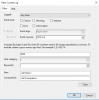
Launch Event Viewer > under event logs, select Application > View menu > click Filter. In the Event source list, select VSTO 4.0. For installation events, in the Event ID box, type 4096. Click OK to see the filtered view.

upload_2017-6-15_21-27-47.png
 
Have you tried:

"%ProgramFiles%\Common Files\Microsoft Shared\OFFICE15\Office Setup Controller\setup.exe" /uninstall ProPlus /config "\\Link\to\xml\file\SilentUninstall.xml"
 
My apologies, we used the 64 bit Office for 2013

"%ProgramFiles(x86)%\Common Files\Microsoft Shared\OFFICE15\Office Setup Controller\setup.exe" /uninstall ProPlus /config "\\Link\to\xml\file\SilentUninstall.xml"

Is what you would need
 
Have you tried:

"%ProgramFiles%\Common Files\Microsoft Shared\OFFICE15\Office Setup Controller\setup.exe" /uninstall ProPlus /config "\\Link\to\xml\file\SilentUninstall.xml"
I just tried this using the command prompt and got the following message:
"Setup can't find or validate an installation file..."
 
No, copy the files locally and try the uninstall from there. I would recommend copying the XML file to elsewhere also eg. C:\Temp

Let's say you copy it to the C:\Temp\Office2013 DIR the command would be: "C:\Temp\Office2013\setup.exe" /uninstall ProPlus /config "C:\Temp\XMLFILE"

Failing that, have you looked into the OffScrub13.vbs method?
 
Hi all,

When I try to silently uninstall Microsoft Office 2013 via the command line (eventually SCCM 2012) I get a message saying that bootstrapper has failed or that the executable is invalid. The command I am using is as follows:

"\\server\bleh\bleh\MS Office 2013\setup.exe" /uninstall proplus /config "\\server\bleh\bleh\MS Office 2013\x86\proplus.ww\uninstall.xml"

The Uninstall.xml file is:
<Configuration Product="ProPlus">
<Display Level=”none” CompletionNotice=”no” SuppressModal=”yes” AcceptEula=”yes” />
<Setting Id="SETUP_REBOOT" Value="Never" />
</Configuration>

I've followed tutorials everywhere and still no luck trying to uninstall it. I always start at the command line and try but I get that bootstrapper error. When I attempt to uninstall through SCCM I get the error, "invalid executable file."

Any help would be greatly appreciated.

Thank you very much and have a good day.

Not sure if you have sorted it out or not, but I was just working on the same thing the past few days. I noticed if I run this on Powershell I get the bootstrap error but it works via cmd fine. I ended up having the .xml file within the office directory so when SCCM copy the office directory it copies the .xml as well then add this in the uninstall field.

PHP:
setup.exe /uninstall ProPlus /config uninstall.xml

That has sorted it out for me without any issues, if you still having problems I'd recommend to download a newer copy of the office 2013 via the office deployment tool.
 
Not sure if you have sorted it out or not, but I was just working on the same thing the past few days. I noticed if I run this on Powershell I get the bootstrap error but it works via cmd fine. I ended up having the .xml file within the office directory so when SCCM copy the office directory it copies the .xml as well then add this in the uninstall field.

PHP:
setup.exe /uninstall ProPlus /config uninstall.xml

That has sorted it out for me without any issues, if you still having problems I'd recommend to download a newer copy of the office 2013 via the office deployment tool.
So I did end up figuring it out. It turns out the xml file was the issue. I used word instead of notepad or notepad++ so the quotes were the wrong font. Pretty funny actually. So this worked " and this caused the problem “. Hope this helps anyone down the road.
 
Status
Not open for further replies.
Back
Top