Forums on Intune, SCCM, and Windows 11

Welcome to the forums. Register a free account today to become a member! Once signed in, you'll be able to participate on this site by adding your topics and posts, as well as connect with other members through your own private inbox!

PENDING CcmSetup failed with error code 0x80004005

  • Thread starter Thread starter mahinsa
  • Start date Start date
  • Replies Replies 7
  • Views Views 477

mahinsa

Member
Messages
5
Reaction score
0
Points
1
1768211790623.png
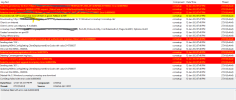
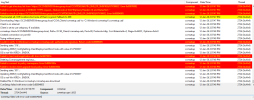
ccmsetup faild with error code 0x80004005
 

Attachments

  • 1768211594352.png
    1768211594352.png
    74.8 KB · Views: 5
Hi
I encountered the same error when installing the client on a non-domain laptop. The installation log returned error code 0 (everything was essentially fine).
Reinstalling didn't help. Out of desperation, I decided to delete the CCM system folders (CCM, ccmsetup, ccmcache) from the Windows folder and restart the installation. This helped. The laptop appeared in the console, I authorized it, and it became active and manageable. This isn't practical or IT-friendly, but maybe it will help someone else.
 

Forum statistics

Threads
7,191
Messages
28,068
Members
18,341
Latest member
ajames
Back
Top