Forums on Intune, SCCM, and Windows 11

Welcome to the forums. Register a free account today to become a member! Once signed in, you'll be able to participate on this site by adding your topics and posts, as well as connect with other members through your own private inbox!

SOLVED SCCM no response from windows deployment services server

Boukada

Member
Messages
6
Reaction score
0
Points
1
I have a problem but no solution for several days can you me help please.

sorry for my english ....

DHCP 2008 R2:

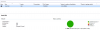
upload_2016-12-29_13-45-50.png

The Vm Machine :

upload_2016-12-29_13-46-9.png

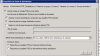
Configuration SCCM 2012 CU4

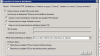
upload_2016-12-29_13-46-40.png

upload_2016-12-29_13-47-20.png

upload_2016-12-29_13-47-53.png

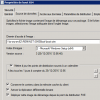
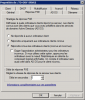
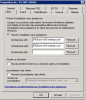
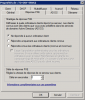
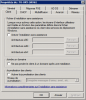
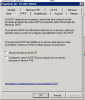
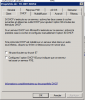
property WDS in SCCM server

upload_2016-12-29_13-48-48.png


upload_2016-12-29_13-50-15.png

Thanks for your help
 

Attachments

  • upload_2016-12-29_13-48-32.png
    upload_2016-12-29_13-48-32.png
    15.5 KB · Views: 12
Can you use only SCCM to enable PXE and uncheck all the options from WDS server ?. Ensure WDS service is running.
 
Ensure that the machine is in a collection that the task sequence is deployed to. So in SCCM, navigate to Assets and Compliance > Devices > Search for the machine > Right click the machine > Add selected items to existing device collections > Select the collection that your task sequence is being deployed to. Once these steps are complete, the F12 option should become available.
 
If it's a new machine then deploy the task sequence to the following device collection: All Unknown Computers. Let me know how it goes
 
Back
Top