tiduseQ
Member
- Messages
- 11
- Reaction score
- 2
- Points
- 3
UPDATE: TrendMicro (antivirus) indirectly stopped repair of Management Point through MSI. Disabling Trend solved the issue.
Hello,
I have posted here today, but can no longer find my post - if I have offended any rule please at least send me a PM. I will post again in the meantime.
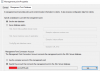
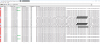
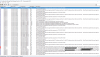
We are moving from SCCM 2012 to SCCM CB and we have separate server with new version and separate server for SQL database. We have configured both SCCM "service" account and server computer account with proper AD and SQL privileges per Microsoft instructions. The Management Point component keeps throwing errors that it failed HTTP communication with error 500. I will post logs below, but here is general error description:
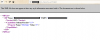
"MP Control Manager detected management point is not responding to HTTP requests. The HTTP status code and text is 500, Internal Server Error."
I can not find any IIS configuration information for Management Point other than "reinstall MS to correct IIS settings" and we have tried it.
I am willing to provide any logs and information about my configuration that you would think could help to determine the reason. Could you please help me configure it properly?
Hello,
I have posted here today, but can no longer find my post - if I have offended any rule please at least send me a PM. I will post again in the meantime.
We are moving from SCCM 2012 to SCCM CB and we have separate server with new version and separate server for SQL database. We have configured both SCCM "service" account and server computer account with proper AD and SQL privileges per Microsoft instructions. The Management Point component keeps throwing errors that it failed HTTP communication with error 500. I will post logs below, but here is general error description:
"MP Control Manager detected management point is not responding to HTTP requests. The HTTP status code and text is 500, Internal Server Error."
I can not find any IIS configuration information for Management Point other than "reinstall MS to correct IIS settings" and we have tried it.
I am willing to provide any logs and information about my configuration that you would think could help to determine the reason. Could you please help me configure it properly?
Attachments
Last edited: