Forums on Intune, SCCM, and Windows 11

Welcome to the forums. Register a free account today to become a member! Once signed in, you'll be able to participate on this site by adding your topics and posts, as well as connect with other members through your own private inbox!

SOLVED SCCM Noob needs assistance

Status
Not open for further replies.

gregdoma

Member
Messages
20
Solutions
1
Reaction score
0
Points
1
Good day all,

I am a relative SCCM noob and I am in the process of creating a SCCM home lab of which the specs are below;

1 4 core 16 gb ram server running 2012 r2 (to be the same as at work) called GagaSccm, domain joined, static IP, IIS installed, DHCP installed and configured
SQL Server Standard 2017 installed with an instance called GagaSccm
Installed SCCM 1802 and updated to 1810 (same version as at work)
Imported 2 windows images Win 10 Pro and Server 2016
ADK and Win Pe installed
2 task sequences created and deployed to "All unknown computers"

So here is my problem;

When I try to PXE boot, I get to the SCCm page and I select my task sequence only to get the error below;
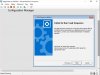
tasksequencefail.jpg

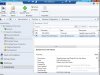
I tried troubleshooting the DP (single DP) and I see the following;
sccm fails.jpg

Can someone please suggest a fix which does not rely on reinstalling everything?
 
Make sure that the boot images (x86 & x64) are distributed correctly to your DP.

You have to install ADK & WinPE related to your Windows 10 version.
 
I have installed ADK and Win Pe
The Boot image is version: 10.0.18362.1
I also tried "Update Distribution Points" with reload
 
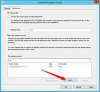
There was a default boundary which I changed to reflect the ip subnet of my network. I also enabled active directory discovery which created the 2nd boundary.

sccmboundaries.jpg
 
What's about the boundary group? Have you created one with the above boundaries and specify their MP/DP?
 
MP = Management Point, if you didn't get crazy with your site setup it's generally the CM server itself. In fact is it safe to assume all your roles are on the same server considering this appears to be a non-production environment?

Can you also provide the distmgr.log?
 
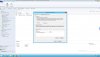
If all roles are installed on the same server (MP, DP...), you have to create a boundary groups and site & subnet network boundaries, then add the Site Server in the Site System Servers :

boundary groups.png
 
Hi All,

To answer @Sam Banford, the file distmgr.log is not in the logs folder on the DP

To answer @Saad Youssef, see screenshot attached but I'm pretty sure my config is Ok.
 

Attachments

  • Home SCCM setup boundary group.jpg
    Home SCCM setup boundary group.jpg
    278.6 KB · Views: 4
Do you have all SCCM roles (DP, MP...) in GagaSccm server? If you have a separate DP, you must add it in the boundary group.

The distmgr.log file said by Sam is located on the Site server in "SCCM Install directory\Microsoft Configuration Manager\Logs".
 
The server has a static ip of 192.168.0.79 and subnet 255.255.255.0
It is domain joined and dns points to the dc 192.168.0.79
Gateway points to the router 192.168.0.1
The server is hosted on a hyper v hypervisor.
There is no issue pinging, tracert or ns lookup
The windows firewall is ON on both the DC and the SCCM VM but turning it off will not resolve the issue
 
The server has a static ip of 192.168.0.79 and subnet 255.255.255.0
It is domain joined and dns points to the dc 192.168.0.79

Do you have SCCM and DC in the same VM? Based on your post, you are using the same IP address for the both.
 
Try to create new IP Range boundary based your LAB network and add it in the boundary groups.

Make sure that all necessary packages for the Task Sequence are correctly distributed to your DP, we still waiting for the distmgr.log file.
 
The attached log file is zipped with 7zip. Need to rename file extension to unzip since the site would not take a zip file
 

Attachments

Btw, what is the Windows 10 Pro version are you deploying?

I will check the log tomorrow on my PC and will back to you.
 
Status
Not open for further replies.

Forum statistics

Threads
7,171
Messages
27,987
Members
18,290
Latest member
adblunt

Trending content

Back
Top