Forums on Intune, SCCM, and Windows 11

Welcome to the forums. Register a free account today to become a member! Once signed in, you'll be able to participate on this site by adding your topics and posts, as well as connect with other members through your own private inbox!

SOLVED SCCM 1802 update stuck downloading state

Status
Not open for further replies.

base

Well-Known Member
Messages
63
Reaction score
0
Points
6
Hello,

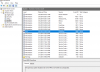
I have a few issues with my SCCM server and I beleive that installing 1802 may address most if not all my issues. Here's what I currently have installed update wise. How do I install 1802? It's been on downloading for a week now. Should I keep waiting?
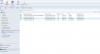
1524754192456.png
 
If you don't have Intune in your environnement, you just ignore those messages.

Any news about the installation of 1802?
 
If you don't have Intune in your environnement, you just ignore those messages.

Any news about the installation of 1802?
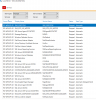
I came in the office today and it started getting the blue screen again. Could not get into safe mode. After a few restarts I was able to get into the server. Now the SQL server does not open. Here are the screenshots:

SQL server error
1525787367811.png

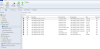
event viewer, The system shutdown randomly last night for no reason.
1525787444995.png


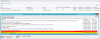
Several services were stopped, this has been happening often when I have been restarting the server recently.
1525787689704.png
 
Looks like you need to focus more on fixing the server side issues first before you jump to fix SCCM issues. I know it's tough but that's how you learn and gain knowledge.
 
Looks like you need to focus more on fixing the server side issues first before you jump to fix SCCM issues. I know it's tough but that's how you learn and gain knowledge.
I think you are right. On a side note, 1802 is still downloading. Took a look at the log and noticed that it was showing the same intune warning till the server shutdown last night at 7pm. Once I started it today, the server is now downloading it.

In other news the SCCM server is looking great so far. I think the downloads are coming through without any issues. Praying for no more blue screens.
1525797728531.png
 
Last edited:
still no change in update status. I keep seeing the intune subscription line now that is all I mainly see with download installation.

Here is the constant error:

ERROR: Failed to download redist for eab25b02-02dd-4a14-b6d0-ba5bde540d66 with command /RedistUrl http://go.microsoft.com/fwlink/?LinkID=854850 /LnManifestUrl http://go.microsoft.com/fwlink/?LinkID=855609 /RedistVersion 201802 /NoUI "\\RO-WINSVR-02.IDC-S2.LOCAL\EasySetupPayload\eab25b02-02dd-4a14-b6d0-ba5bde540d66\redist" . SMS_DMP_DOWNLOADER 5/23/2018 3:08:00 PM 4900 (0x1324)
 
Last edited:
Thanks for the tip on the Update Reset Tool. Had similar issues but seems to be working for me now. Currently on the installation phase.
 
Hi, i used the tip on the UpdateResetTool aswell and the Powershell finished with succes. So the stuck 1802 updated vanished and now i am unable to download it again.
The path under 'C:\Program Files\Microsoft Configuration Manager\EasySetupPayload\ConfigMgr.Update.Manifest.cab mentioned doesnt exist.

Any suggestions? Restart of SMS_EXECUTIVE and SCCM Server didnt change anything.

Thanks, Dennis.
1528274021450.png
 
Hi, i used the tip on the UpdateResetTool aswell and the Powershell finished with succes. So the stuck 1802 updated vanished and now i am unable to download it again.
The path under 'C:\Program Files\Microsoft Configuration Manager\EasySetupPayload\ConfigMgr.Update.Manifest.cab mentioned doesnt exist.

Any suggestions? Restart of SMS_EXECUTIVE and SCCM Server didnt change anything.

Thanks, Dennis.
View attachment 1291

So I solved the problem by myself.
FYI, it was a permission problem with the folder EasySetupPayload the user had not enough rights to write into that dircetory and after i changed that everything works fine.
 
Status
Not open for further replies.
Back
Top