Forums on Intune, SCCM, and Windows 11

Welcome to the forums. Register a free account today to become a member! Once signed in, you'll be able to participate on this site by adding your topics and posts, as well as connect with other members through your own private inbox!

SOLVED SCCM 1802 update stuck downloading state

Status
Not open for further replies.

base

Well-Known Member
Messages
63
Reaction score
0
Points
6
Hello,

I have a few issues with my SCCM server and I beleive that installing 1802 may address most if not all my issues. Here's what I currently have installed update wise. How do I install 1802? It's been on downloading for a week now. Should I keep waiting?
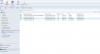
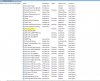
1524754192456.png
 
I'm getting errors when it tried to update and it seems that it tries to update but loops into the same error.
1524760023798.png
 
"ERROR: Failed to download required file"

Check if you have a full network access on your Site Server, can you share with us the "DMPDownloader.log" file?
 
"ERROR: Failed to download required file"

Check if you have a full network access on your Site Server, can you share with us the "DMPDownloader.log" file?
I do have full network access. Again, pardon my ignorace, where can I find that log file?
 
"ERROR: Failed to download required file"

Check if you have a full network access on your Site Server, can you share with us the "DMPDownloader.log" file?

I finally was able to find the DMPdownloader log. Here is the output:
1525267544916.png


This is the result from it. However, the hasIntuneSub.. keeps going nonstop.
 
First, copy the tool in %ProgramFiles%\Microsoft Configuration Manager\cd.latest\SMSSETUP\TOOLS
Second, open the Powershell with admin privileges and set the commands below:
cd %ProgramFiles%\Microsoft Configuration Manager\cd.latest\SMSSETUP\TOOLS
.\CMUpdateReset.exe -S SQLSERVER_FQDN -D CM_SITECODE -P Package-GUID
Your account must have full privileges on your SQL Server Database to execute this reset.
 
Status
Not open for further replies.
Back
Top