Forums on Intune, SCCM, and Windows 11

Welcome to the forums. Register a free account today to become a member! Once signed in, you'll be able to participate on this site by adding your topics and posts, as well as connect with other members through your own private inbox!

PENDING Install Adobe Pro DC through SCCM

Markyb

Member
Messages
21
Reaction score
0
Points
1
HI all,

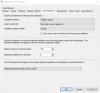
I'm fairly new to packaging and I am having issues deploying Adobe Pro DC through SCCM as an application. I'm pointing the install to:

SCCM Server Name\SoftwareLibrary\Adobe\AdobeDC_Pro_18_A01\Source\Adobex64\Build\adobex64.msi. The install is using the the silent switch.
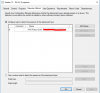
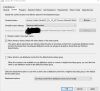
1524827353346.png

I then do everything as normal, i.e distribute the content, then deploy. Then the install just hangs on installing. The logs files show that the deployment has been picked up, but it never installs. Am I using the correct install path?

Any help would be great.

Thanks
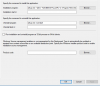
 
Use the .exe to perform the install as an APPLICATION(script installer). Use the following switch

setup.exe --silent --ADOBEINSTALLDIR="C:\Program Files\Adobe Creative Cloud" --INSTALLLANGUAGE=en_GB

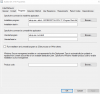
1524834912273.png

and use the MSI for detection method.

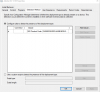
1524834953995.png
 
Hi,

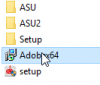
I got the install files from out Adobe Portal, where we assign users their Adobe ID. File structure is ServerName\Adobe\AdobeDC_Pro_18_A01\Source\Adobex64\Build, then
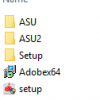
1525074482486.png

There is no Adobe logs.

Thanks
 
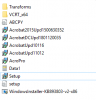
Then drilling down further is ServerName\SoftwareLibrary\Adobe\AdobeDC_Pro_18_A01\Source\Adobex64\Build\Setup\APRO18.0\Adobe Acrobat

1525076002329.png
 
Then drilling down further is ServerName\SoftwareLibrary\Adobe\AdobeDC_Pro_18_A01\Source\Adobex64\Build\Setup\APRO18.0\Adobe Acrobat

View attachment 1138
Have you got a test machine? Open CMD as Admin, run the script via CMD on that test machine and see the outcome?

I used the same script and mine works absolutely fine. What version of SCCM are you on?

I also use this script to deploy two adobe products at the same time

Execute-MSI -Action Install -Path "Adobe InCopy DC Pro\Build\Adobe InCopy DC Pro.msi" -Parameters '/norestart /qn'
Execute-MSI -Action Install -Path "Adobe InCopy DC Pro\Build\Setup\APRO18.0\Adobe Acrobat\AcroPro.msi" -Parameters '/norestart /qn'

But you should be using the .exe and not the MSI...
 
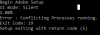
I can confirm that I am using the exe. This is the error from running with CMD as admin.

1525077634853.png

Thank you for your help so far with this.
 
what's your environment like? What applications do you have currently installed? Can you post a screenshot of the task manager > processes tab?
 
Try this and see what you get in CMD - setup.exe --silent

Can you also check if this folder was created using the previous script - C:\Program Files\Adobe Creative Cloud
 
Sure

1525084258229.png

Install Program -
setup.exe --silent --ADOBEINSTALLDIR="C:\Program Files\Adobe Creative Cloud" --INSTALLLANGUAGE=en_GB

1525084342918.png

1525084373435.png

1525084424827.png

Again, thank you for your help so far.
 
Changed as requested. It install absolutely fine on my machine, tried on a colleagues and got the exit code 5 again.
 
Changed as requested. It install absolutely fine on my machine, tried on a colleagues and got the exit code 5 again.

Something is running in the background which is causing the setup to fail. Run the .exe manually on the failed machines and it will ask you to close some apps. Those will be your culprit.

Then use psappdeploytoolkit to kill those apps as part of 'pre-installation', then run the exe as part of the 'main installation'
 

Forum statistics

Threads
7,182
Messages
28,011
Members
18,317
Latest member
rbushart

Trending content

Back
Top