Forums on Intune, SCCM, and Windows 11

Welcome to the forums. Register a free account today to become a member! Once signed in, you'll be able to participate on this site by adding your topics and posts, as well as connect with other members through your own private inbox!

PENDING Configuration Manager primary site and central administration site require SQL Server Tcp is enabled

toffaha

Member
Messages
9
Reaction score
0
Points
1
i face this problem when installing SCCM ,i tried to change the TCP Port of my SQL Server and Run check again and it's also fail there is other solution @Prajwal Desai
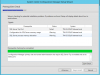
upload_2017-5-9_14-20-38.png
 
Hi there,
on the sql server, go to inbound rules and allow port 1433.

I had the same issue and it worked for me.
 
@toffaha Ensure "4022" is also set in the IPAll node in SQL Server Configuration Manager under Protocols for <SQLInstanceName> then restart the SQL Service and re-run the pre-requisite check and you should be good to go.
 
Back
Top