DNS settings are not being transferred into WinPE.
The environment has statically assign IP's and DNS servers. Task sequence OSD is proven to work in the environment but recently has hit a snag with more Code 84 errors.
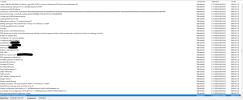
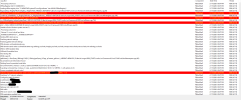
Error code snippet:
Adapter with MACAddress '5c:60:ba:33:36:5f' is not connected, ignoring that there is no network connectivity yet in WinPE and applying adapter settings. TSBootShell 2/9/2026 6:22:32 PM 1784 (0x06F8)
If ultimately there is still no network connectivity when program proceeds, then delays/retries further along will kick in. TSBootShell 2/9/2026 6:22:32 PM 1784 (0x06F8)
uRetVal == 0 || uRetVal == 1, HRESULT=80004005 (F:\dbs\sh\cmgm\0926_074307\cmd\c\src\Framework\OSDCore\netwmiadapterconfig.cpp,1060) TSBootShell 2/9/2026 6:22:32 PM 1784 (0x06F8)
Win32_NetworkAdapterConfiguration::SetDNSServerSearchOrder failed (Code 84) TSBootShell 2/9/2026 6:22:32 PM 1784 (0x06F8)
Failed to set DNS settings for adapter (0x80004005) TSBootShell 2/9/2026 6:22:32 PM 1784 (0x06F8)
Things I have tried:
1. Manually capturing the settings with this script: https://gist.github.com/Recast-team/c76fce8ba772d0319befd416b761cea9
2. Multiple Microsoft tickets
The environment has statically assign IP's and DNS servers. Task sequence OSD is proven to work in the environment but recently has hit a snag with more Code 84 errors.
Error code snippet:
Adapter with MACAddress '5c:60:ba:33:36:5f' is not connected, ignoring that there is no network connectivity yet in WinPE and applying adapter settings. TSBootShell 2/9/2026 6:22:32 PM 1784 (0x06F8)
If ultimately there is still no network connectivity when program proceeds, then delays/retries further along will kick in. TSBootShell 2/9/2026 6:22:32 PM 1784 (0x06F8)
uRetVal == 0 || uRetVal == 1, HRESULT=80004005 (F:\dbs\sh\cmgm\0926_074307\cmd\c\src\Framework\OSDCore\netwmiadapterconfig.cpp,1060) TSBootShell 2/9/2026 6:22:32 PM 1784 (0x06F8)
Win32_NetworkAdapterConfiguration::SetDNSServerSearchOrder failed (Code 84) TSBootShell 2/9/2026 6:22:32 PM 1784 (0x06F8)
Failed to set DNS settings for adapter (0x80004005) TSBootShell 2/9/2026 6:22:32 PM 1784 (0x06F8)
Things I have tried:
1. Manually capturing the settings with this script: https://gist.github.com/Recast-team/c76fce8ba772d0319befd416b761cea9
2. Multiple Microsoft tickets