Hello,
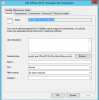
I'm having trouble figuring out why my vbscript shows as completing successfully on the clients execmgr.log but the task its supposed to do is not being done. I am trying to uninstall office using Microsofts vbscript which I ran successfully by simply clicking on it as well as executing via cmd CSCRIPT and the vbs script on the machine locally. Ive uploaded my command line in SCCM, Clients execmgr, and vbscript I used. "DocumentSilent" is the VBSCRIPT
After some googling, I really don't see where i'm going wrong.
Package property settings:
-This package contains source files (pointed to script location)
-Content in the appropriate DP's
Program settings:
-I'm not suppressing any notifications because I want to see it work (live would be suppressed)
- Run as administrator used
-Program can run whether or not user is logged on
-Runs with UNC name
When I deploy I select the correct collection:
- Purpose set to "required"
- Scheduled to run right away (btw I have to select rerun if succeeded on previous attempts otherwise it sees that it "worked" on previous deployment and wont let you redeploy. Saw this issues for others on different forums so I thought id add this comment)
- Deployment options are set to download content from DP and run locally (which I see it does this correctly on the client)
Please help i'm 3 days into trying to get this to work. BTW I've already tried ProPlus SilentUninstall.xml as well and it kept erroring out with "Script for package:XXXX Program:XXXX failed with exit code 30023 (nothing in google tells me what this error means) again following exact instructions from Microsoft.
I'm having trouble figuring out why my vbscript shows as completing successfully on the clients execmgr.log but the task its supposed to do is not being done. I am trying to uninstall office using Microsofts vbscript which I ran successfully by simply clicking on it as well as executing via cmd CSCRIPT and the vbs script on the machine locally. Ive uploaded my command line in SCCM, Clients execmgr, and vbscript I used. "DocumentSilent" is the VBSCRIPT
After some googling, I really don't see where i'm going wrong.
Package property settings:
-This package contains source files (pointed to script location)
-Content in the appropriate DP's
Program settings:
-I'm not suppressing any notifications because I want to see it work (live would be suppressed)
- Run as administrator used
-Program can run whether or not user is logged on
-Runs with UNC name
When I deploy I select the correct collection:
- Purpose set to "required"
- Scheduled to run right away (btw I have to select rerun if succeeded on previous attempts otherwise it sees that it "worked" on previous deployment and wont let you redeploy. Saw this issues for others on different forums so I thought id add this comment)
- Deployment options are set to download content from DP and run locally (which I see it does this correctly on the client)
Please help i'm 3 days into trying to get this to work. BTW I've already tried ProPlus SilentUninstall.xml as well and it kept erroring out with "Script for package:XXXX Program:XXXX failed with exit code 30023 (nothing in google tells me what this error means) again following exact instructions from Microsoft.