Forums on Intune, SCCM, and Windows 11

Welcome to the forums. Register a free account today to become a member! Once signed in, you'll be able to participate on this site by adding your topics and posts, as well as connect with other members through your own private inbox!

SOLVED Unable to install the SCCM client on win10 and win11

  • Thread starter Thread starter Pennyworth
  • Start date Start date
  • Replies Replies 27
  • Views Views 8K
Status
Not open for further replies.

Pennyworth

Member
Messages
16
Solutions
1
Reaction score
0
Points
1
Hello everyone, My name is Enyel, and I’m currently setting up an SCCM home lab to learn the deployment and management process. This is my first time working with SCCM, and I'm facing several blocking issues before I can even start using it. I found the SCCM server was unable to push install the SCCM client to the Win11 and Win10 clients. it did install on the domain server.

After reviewing logs, I found the following problems:

Issues Found from Log Reviews

1️⃣ SCCM Client Installation Fails

  • Error: "Cannot get version of client installation file: C:\Program Files\Microsoft Configuration Manager\client\I386\Client.msi"
  • Possible cause: Missing or inaccessible Client.msi
  • ✅ Solution Tried: Checked file existence and permissions.
2️⃣ Default Management Point Keeps Switching to [None]

  • SCCM1.cyberguard.local is set as MP, but then switches to [None] repeatedly.
  • Possible cause: MP not properly registered / communication failure.
  • ✅ Solution Tried: Verified MP role but still seeing issues.
3️⃣ Certificate Issues (SSL State: 1504)

  • PKI configuration appears present, but:
    • Certificate Issuers list is empty
    • Certificate Store information missing
  • ✅ Solution Tried: Verified PKI certificates using certlm.msc.
4️⃣ Inbox Errors (Missing SCCM Processing Folders)

  • "Can't find the SMS_INBOX_CLIENT_CCR_INCOMING inbox"
  • "Can't find the SMS_INBOX_CLIENT_CCR_RETRY inbox"
  • ✅ Solution Tried: Checked "C:\Program Files\Microsoft Configuration Manager\inboxes\", but some folders seem to be missing.
5️⃣ No Fallback Status Point (FSP) Installed

  • SCCM does not currently have an FSP, making troubleshooting client installation failures more difficult.
  • ✅ Potential Fix: Considering setting up an FSP to capture detailed failure reports.

Logs Reviewed

  • mpcontrol.log → Management Point Errors
  • ccmsetup.log → Client Installation Issues
  • ccmexec.log → Client Configuration & Site Assignment Failures
  • smsexec.log → SCCM Server Service Execution

Request for Guidance

I’d really appreciate any help or troubleshooting suggestions from experienced SCCM users! Since this is a home lab, I might be missing some critical configuration steps. What should I check or modify to resolve these installation and site communication issues?

Thanks in advance for your time! Best regards, Enyel
 
Solution
Guys Thank you for the help and guidance. i did managed to use your help. I fixed the DNS it was working fine. the firewalls was a fact. but the real problem was that the host machines were going in auto pause because the VMware settings. so it was blocking the network communications. thank you very much.
does the agent setup complete with with a zero error code? Are you only using up ranges for boundaries?
 
Hey there Hi Error: cannot get version of client installation file: C:\Program Files\Microsoft Configuration Manager\client\I386\Client.msi

I appreciate your time.
This the error I found on the logs file ccmsetup.log but it is strange because the Domain controller was able to receive the installation.
error code 0
 
Hey there Hi Error: cannot get version of client installation file: C:\Program Files\Microsoft Configuration Manager\client\I386\Client.msi

I appreciate your time.
This the error I found on the logs file ccmsetup.log but it is strange because the Domain controller was able to receive the installation.
error code 0
exit code 0 mean the client installed successfully, why do you think it failed?
 
Hi
the push install is only able to install on the domain controller. I tried several times for weeks to have the push install onto the Win11 and 10 But no luck.

i think the problems I'm encountering may have to do with the way I setup the environment. This is my first time setting up this enviroment. I followed a guy on you tube but his video was old he use 2012 server I used 2019 server. he created 3 diferent accounts on ACtive directory one for the SCCM admin one for himself with admin rights to the SCCM server and one account for the
 
Hi
the push install is only able to install on the domain controller. I tried several times for weeks to have the push install onto the Win11 and 10 But no luck.

I think the problems I'm encountering may have to do with the way I setup the environment. This is my first time setting up this environment. I followed a guy on you tube but his video was old he uses 2012 server I used 2019 server. he created 3 different accounts on Active directory one for the SCCM admin one for himself with admin rights to the SCCM server and one account for the SQL server. the setup installed ok the only issue were with the SQL driver 18 issue, but I fixed it. another thing I've notice the SQL server is 32bits version and I downloaded 64bit drivers. I don't know if that maybe causing communications problems. The part I think maybe the bigger issue is that by mistake I used the personal account with admin rights to deploy the SCCM server setup as well as the SQL server instead of the admin account I created for the SCCM. but all those I account that I've mentioned are part of the same group in Active directory. if you are able to spot something please let me know if not I wouldn't mind redoing it from a walkthrough that may have the right steps. I'm just trying to get this project going to practice and learn. it just seen that I'm walking straight through the trouble shooting phase and been stocked for a month.
have a nice day.
 
That screenshot does not show that the client isn't install. What it does show is that the client isn't reporting the site. These are completely different issues. Hence my question. What is show within the control panel on the device? only two Actions? This will be 90% of the time being an Boundary issue.
 
OK, so why dont you open ccm.log on your server, then push the client to one of your machines while monitoring the logfile?
 
That screenshot does not show that the client isn't install. What it does show is that the client isn't reporting the site. These are completely different issues. Hence my question. What is show within the control panel on the device? only two Actions? This will be 90% of the time being an Boundary issue.
Hey sorry for the delayed to respond. I was working on a school paper.
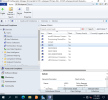
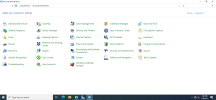
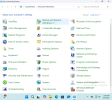
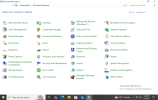
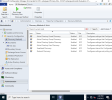
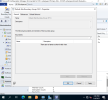
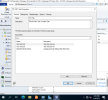
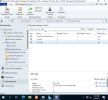
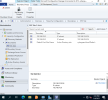
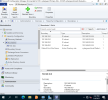
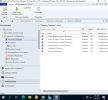
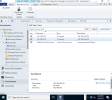
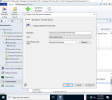
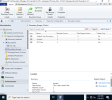
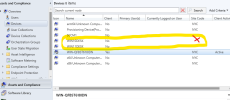
here are some screenshots showing that the client is not install on any of the computers I had include the domain server. I'll also include the boundaries I'm using. the IP subnets you may see within the NYC Site were created as one of the steps when I was configuring the SCCM server. But none of the computers on the Active Directories have IP from these boundaries' ranges.

1746830699815.png
1746830794909.png
1746830894630.png
1746830928276.png


1746830699815.png
 

Attachments

  • 1746830191679.png
    1746830191679.png
    75.3 KB · Views: 0
  • 1746830161998.png
    1746830161998.png
    78.6 KB · Views: 0
  • 1746830067212.png
    1746830067212.png
    99.6 KB · Views: 0
  • 1746830039069.png
    1746830039069.png
    93 KB · Views: 0
  • 1746829994165.png
    1746829994165.png
    96.7 KB · Views: 1
  • 1746829911850.png
    1746829911850.png
    97.7 KB · Views: 0
Hey sorry for the delayed to respond. I was working on a school paper.
here are some screenshots showing that the client is not install on any of the computers I had include the domain server. I'll also include the boundaries I'm using. the IP subnets you may see within the NYC Site were created as one of the steps when I was configuring the SCCM server. But none of the computers on the Active Directories have IP from these boundaries' ranges.

View attachment 7252
View attachment 7253
View attachment 7254
View attachment 7255


View attachment 7252
1746831648350.png
1746831707363.png
1746831749204.png
 
OK, so why dont you open ccm.log on your server, then push the client to one of your machines while monitoring the logfile?
Stanley hi.

Sorry for the belated answer I did what you said and cleaned up the log results.

here is what I got:

Summary of Key Errors and Issues


❌


  1. WIN11DESK:
    • Failure using both:
      • CYBERGUARD1\Enyel with error code 00000043
      • Machine account with error code 67
    • Result: Access denied or invalid network path
    • ❗️Stored back in "Retry" queue
  2. WIN10DESK:
    • Failure using:
      • CYBERGUARD1\Enyel with error code 00000043
      • Machine account with error code 67
    • Result: Access denied or invalid network path
    • ❗️Stored back in "Retry" queue
  3. WIN10:
    • Failure using:
      • CYBERGUARD1\Enyel with error code 00000043
      • Machine account with error code 67
    • Result: Access denied or invalid network path
    • ❗️Stored back in "Retry" queue
Error CodeMeaning
00000043The network name cannot be found (likely DNS or name resolution issue)
00000035The network path was not found
67The network name cannot be found (usually returned by WNetAddConnection2)
 
Status
Not open for further replies.

Forum statistics

Threads
7,130
Messages
27,846
Members
18,145
Latest member
Rothgar
Back
Top