MJ-Tech
Well-Known Member
- Messages
- 217
- Solutions
- 25
- Reaction score
- 21
- Points
- 18
I have a requirement to create a KIOSK machine (Big monitors for display alone) where we need to run\show only powerpoint slides\MP4 videos\company updates.
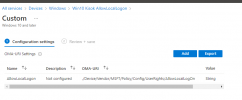
As described in the MS forum- https://docs.microsoft.com/en-us/mem/intune/configuration/kiosk-settings-windows , i have enrolled the Win 10 devices, applied Kiosk configurations and enabled Auto logon in the Intune portal.
Output:
Auto Logon is performed correctly.
After logging on, the Edge is automatically started and opens the specific home page.
But our Expectation is:
Instead of a web browser, we need to play the PPT presentation or run Mp4 file in loop mode.
Tried below options,
- MP4: Exported PPTX file to video. Added the URL - http:\\xx\test.mp4 in the configuration profile. It is steaming correctly but once the video timeline is over, not looping the video.
- PPT slides: I Exported PPTX file to Test.ppsx and added it in the configuration profile, http:\\xx\test.ppsx file, not working as expected (Download failed)
Suggestion please?
Configuration profile:
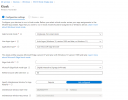
Deployment profile:
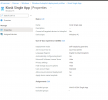
Enabled Auto-Logon: