
Anyone testing/playing with W10 1909 yet?
When attempting to deploy the image with .NET3.5 pre-configured I am getting the following error:
---
The task sequence execution engine failed executing the action (DotNET_3.5) in the group (Setup Operating System) with the error code 2148468767
Action output: ... MSPKG$/TAP00174/sccm?/InstallNetFx3.ps1 to C:\_SMSTaskSequence\Packages\TAP00174\InstallNetFx3.ps1
Downloading file /SMS_DP_SMSPKG$/TAP00174/sccm?/microsoft-windows-netfx3-ondemand-package~31bf3856ad364e35~amd64~~.cab range 0-72729052
Downloaded file from http://SERVERNAME.DOMAIN:80/SMS_DP_...ondemand-package~31bf3856ad364e35~amd64~~.cab to C:\_SMSTaskSequence\Packages\TAP00174\microsoft-windows-netfx3-ondemand-package~31bf3856ad364e35~amd64~~.cb
VerifyContentHash: Hash algorithm is 32780
Content successfully downloaded at C:\_SMSTaskSequence\Packages\TAP00174.
Resolved source to 'C:\_SMSTaskSequence\Packages\TAP00174'
Command line for extension .exe is "%1" %*
Set command line: Run command line
Working dir 'C:\_SMSTaskSequence\Packages\TAP00174'
Executing command line: Run command line with options (0, 4)
Deployment Image Servicing and Management tool
Version: 10.0.18362.1
Image Version: 10.0.18363.418
Enabling feature(s)
P.
---
I am using the same file / package / code from my 1809 and 1903 Deployments and those work without an issue.
I have verified that the cab file name has not changed between 1809/1903/1909.

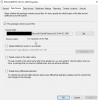
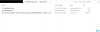
Even trying to install .NET 3.5 on 1909 in the OS via System Center after the OS boots fails with this error:

---
Contents of the InstallNetFx3.ps1 file referenced above.
$currentLocation = Split-Path -Parent $MyInvocation.MyCommand.Path;
Enable-WindowsOptionalFeature -Online -FeatureName NetFx3 -Source $currentLocation -LimitAccess -All
When attempting to deploy the image with .NET3.5 pre-configured I am getting the following error:
---
The task sequence execution engine failed executing the action (DotNET_3.5) in the group (Setup Operating System) with the error code 2148468767
Action output: ... MSPKG$/TAP00174/sccm?/InstallNetFx3.ps1 to C:\_SMSTaskSequence\Packages\TAP00174\InstallNetFx3.ps1
Downloading file /SMS_DP_SMSPKG$/TAP00174/sccm?/microsoft-windows-netfx3-ondemand-package~31bf3856ad364e35~amd64~~.cab range 0-72729052
Downloaded file from http://SERVERNAME.DOMAIN:80/SMS_DP_...ondemand-package~31bf3856ad364e35~amd64~~.cab to C:\_SMSTaskSequence\Packages\TAP00174\microsoft-windows-netfx3-ondemand-package~31bf3856ad364e35~amd64~~.cb
VerifyContentHash: Hash algorithm is 32780
Content successfully downloaded at C:\_SMSTaskSequence\Packages\TAP00174.
Resolved source to 'C:\_SMSTaskSequence\Packages\TAP00174'
Command line for extension .exe is "%1" %*
Set command line: Run command line
Working dir 'C:\_SMSTaskSequence\Packages\TAP00174'
Executing command line: Run command line with options (0, 4)
Deployment Image Servicing and Management tool
Version: 10.0.18362.1
Image Version: 10.0.18363.418
Enabling feature(s)
P.
---
I am using the same file / package / code from my 1809 and 1903 Deployments and those work without an issue.
I have verified that the cab file name has not changed between 1809/1903/1909.
Even trying to install .NET 3.5 on 1909 in the OS via System Center after the OS boots fails with this error:
---
Contents of the InstallNetFx3.ps1 file referenced above.
$currentLocation = Split-Path -Parent $MyInvocation.MyCommand.Path;
Enable-WindowsOptionalFeature -Online -FeatureName NetFx3 -Source $currentLocation -LimitAccess -All


