Forums on Intune, SCCM, and Windows 11

Welcome to the forums. Register a free account today to become a member! Once signed in, you'll be able to participate on this site by adding your topics and posts, as well as connect with other members through your own private inbox!

PENDING Using SCCM to Uninstall Software

Israel Chavez

Active Member
Messages
32
Reaction score
0
Points
6
We have several version of viewpoint that I need to uninstall. Of course SCCM would be the best option to use, since I have more than 700 computers. I already created a batch file using the msiexec. My question is, do I need to push the batch file to run on all pc or is there another way to do it? I have been looking for option within sccm but cannot find the uninstall app or package.

Thanks,
 
Hi Israel, if your batch file uninstalls the app fine, then deploy it the collection of 700 computers. You could create an app / package.
 
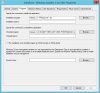
So it is saying that it was successful (on my test environment) but the computer still has the software installed. I made sure that I added the correct MSI (even though I added an older version, so I have a total of two) I attached a screenshot of the command. Is it right?
 

Attachments

  • 2.JPG
    2.JPG
    71.5 KB · Views: 7
So it is saying that it was successful (on my test environment) but the computer still has the software installed. I made sure that I added the correct MSI (even though I added an older version, so I have a total of two) I attached a screenshot of the command. Is it right?

If the MSI is older, it will probably have a different GUID.

The best attack would be a script that targets multiple GUID's of the same program. I have one I made for Websense, see below.

Code:
@echo off
:: Stop WebSense and Attempt the Uninstall
"C:\Program Files\Websense\Websense Endpoint\wepsvc.exe" -stop -password removalpassword wspxy

msiexec /x {7C2C0AD7-9698-4373-9157-E486C0E8BE20} XPSWD="removalpassword" /norestart /qn /L*V "C:\Windows\Logs\WebsenseUninstallation7-6-1145-x86.log"
msiexec /x {528C64F2-3409-4FC4-89D6-05E5FA72F77F} XPSWD="removalpassword" /norestart /qn /L*V "C:\Windows\Logs\WebsenseUninstallation7-6-1145-x64.log"

msiexec /x {154C0B11-BDA3-420B-8BFC-A624175B65CC} XPSWD="removalpassword" /norestart /qn /L*V "C:\Windows\Logs\WebsenseUninstallation7-8-1834-x64.log"
msiexec /x {D1390F29-0723-435B-870A-430ACB545D24} XPSWD="removalpassword" /norestart /qn /L*V "C:\Windows\Logs\WebsenseUninstallation7-8-1911-x64.log"

msiexec /x {F482A1BB-13E2-49C6-AF4C-80F968DB388D} XPSWD="removalpassword" /norestart /qn /L*V "C:\Windows\Logs\WebsenseUninstallation8-0-2076-x64.log"

msiexec /x {ADDFA1F7-BCE8-4B89-8A4E-E4F6AAC3D938} XPSWD="removalpassword" /norestart /qn /L*V "C:\Windows\Logs\WebsenseUninstallation8-1-2224-x86.log"
msiexec /x {91AF04C4-CDA0-42B8-91C5-B547DE2127A1} XPSWD="removalpassword" /norestart /qn /L*V "C:\Windows\Logs\WebsenseUninstallation8-1-2224-x64.log"

Add this batch/script to a package, and deploy it to your 700 computers (test it first, of course!) :)
 

Forum statistics

Threads
7,136
Messages
27,873
Members
18,159
Latest member
jordysmits
Back
Top