Forums on Intune, SCCM, and Windows 11

Welcome to the forums. Register a free account today to become a member! Once signed in, you'll be able to participate on this site by adding your topics and posts, as well as connect with other members through your own private inbox!

SOLVED [Urgent] ConfigMgr reinstall SQL error

  • Thread starter Thread starter AaronZ
  • Start date Start date
  • Replies Replies 7
  • Views Views 2K

AaronZ

Active Member
Messages
35
Solutions
2
Reaction score
7
Points
8
I have been tasked with getting another companies SCCM Server upgraded. Upgrade failed. Site Recovery failed. Trying to perform a reinstall and getting this failure:

1745418450435.png

It will not let me reinstall.

I am also getting the following errors in the logs regarding BITS and IIS:
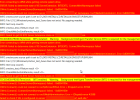
1745418569682.png

Please HELP! I have had a support case open with Microsoft for over a month on this.

Update: The old database has been removed from SQL Server Management Studio and is no longer in the DB folder on the D Drive.
 
Last edited:
Solution
Everything has been removed from the current server. The current server has no connectivity with the old server. Microsoft support is telling me to build a new VM with OS 2022 and SQL 2022 and then trying the reinstall from there.
It sound like this VM still has old data on it, so starting fresh is a good idea.
Troubleshooting will be challenging without details on the setup and other issues. When was the last update from Microsoft regarding this?
 
Troubleshooting will be challenging without details on the setup and other issues. When was the last update from Microsoft regarding this?
They have not done a lot in regard to this clean install. I am waiting on a meeting with them to work on this. But I need to get this resolved 1 month ago.
 
It looks the prerequisites aren't in place and there could be many other issues. Like I said, without having access to this setup, it is difficult to troubleshoot this problem.
 
It looks the prerequisites aren't in place and there could be many other issues. Like I said, without having access to this setup, it is difficult to troubleshoot this problem.
If you look at the first screenshot, it still thinks there is another install of ConfigMgr when everything relating to that previous install and DB is gone.

How can I fix that? I powered off the MP server.
 
If you look at the first screenshot, it still thinks there is another install of ConfigMgr when everything relating to that previous install and DB is gone.

How can I fix that? I powered off the MP server.
So this server used to host an old instance of ConfigMgr? Did you remove the service, the db, and the db files? Did you clean the registry too?
 
So this server used to host an old instance of ConfigMgr? Did you remove the service, the db, and the db files? Did you clean the registry too?
Everything has been removed from the current server. The current server has no connectivity with the old server. Microsoft support is telling me to build a new VM with OS 2022 and SQL 2022 and then trying the reinstall from there.
 
Everything has been removed from the current server. The current server has no connectivity with the old server. Microsoft support is telling me to build a new VM with OS 2022 and SQL 2022 and then trying the reinstall from there.
It sound like this VM still has old data on it, so starting fresh is a good idea.
 
Solution

Forum statistics

Threads
7,130
Messages
27,846
Members
18,145
Latest member
Rothgar
Back
Top