
Hello,
This is my first post here and I want to start off by thanking you for this forum. It has been a great help for me in the past.
I wanted to share my problem and see if there is a solution out there since I'm kind of stuck.
I'm using SCCM Version 1610 and x64 Boot Image Version 10.0.10586.0
The image I'm using is Windows 10 Enterprise 1607 x64
The problem is that the TS is failing all of a sudden on the "Apply Driver Package" step with the error code 0x80070002. This driver package that I'm applying is LAN drivers for multiple ThinkPad/ThinkCentre models.
I tried this workaround #1 that was given by Microsoft: https://blogs.technet.microsoft.com...fails-when-the-adk-is-upgrade-to-adk-10-1607/
And that got me passed the "Apply Driver" step but then I got the same error code again on the "Setup Windows and ConfigMgr" step.

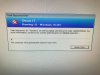
I got the logs from this machine I was trying to deploy to and I have included the dism og smsts log files.
I had another log file called smsts-20170523-182143 that is 2mb and it was too big for me to attach it so here is a OneDrive link to it: https://1drv.ms/u/s!Akus17_LhnrakQG8kG3zVPf3IMcp
Hope this is enough information for you to help me out.
Thanks!
This is my first post here and I want to start off by thanking you for this forum. It has been a great help for me in the past.
I wanted to share my problem and see if there is a solution out there since I'm kind of stuck.
I'm using SCCM Version 1610 and x64 Boot Image Version 10.0.10586.0
The image I'm using is Windows 10 Enterprise 1607 x64
The problem is that the TS is failing all of a sudden on the "Apply Driver Package" step with the error code 0x80070002. This driver package that I'm applying is LAN drivers for multiple ThinkPad/ThinkCentre models.
I tried this workaround #1 that was given by Microsoft: https://blogs.technet.microsoft.com...fails-when-the-adk-is-upgrade-to-adk-10-1607/
And that got me passed the "Apply Driver" step but then I got the same error code again on the "Setup Windows and ConfigMgr" step.
I got the logs from this machine I was trying to deploy to and I have included the dism og smsts log files.
I had another log file called smsts-20170523-182143 that is 2mb and it was too big for me to attach it so here is a OneDrive link to it: https://1drv.ms/u/s!Akus17_LhnrakQG8kG3zVPf3IMcp
Hope this is enough information for you to help me out.
Thanks!


