Forums on Intune, SCCM, and Windows 11

Welcome to the forums. Register a free account today to become a member! Once signed in, you'll be able to participate on this site by adding your topics and posts, as well as connect with other members through your own private inbox!
PENDING Troubleshooting Software Updates Client Issues

syed sameer

Well-Known Member
Messages
144
Reaction score
2
Points
18
Hi Prajwal

I downloaded Software Updates and deployed to Pilot machines
in status its showing 100% compliance but if I go to client and check in installed update history nothing showing
see the attachment
 

Attachments

  • Untitled5.png
    Untitled5.png
    60.7 KB · Views: 17
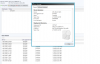
See the error images

if see more details there is error description showing and in software colom nothing is showing
 

Attachments

  • error.png
    error.png
    74 KB · Views: 19
  • error2.png
    error2.png
    51.2 KB · Views: 18
Did the updates got installed ? On the client machine did you check if the updates were actually installed ?. Control panel > Programs and features > installed updates
 
No Updates not installed and I checked in control panel>Programs and features > Installed updates - nothing has installed
 
Hi Prajwal

any update on the above now most of PC having same problem status showing compliant but updates not installed
 
As there are not updates installed, the status cannot be compliant. You need to check the log files to troubleshoot this issue. Let's keep aside the compliance issue and focus on why the software updates failed to deploy/install. Could you check if there are any errors in wuahander.log, windowsupdate.log,UpdatesDeployment.log files ?.
 
Hi Prajwal

here are log errors


Wuahandler log errors

scan failed with error = 0x8007000e

OnSearchComplete - Failed to end search job. Error = 0x8007000e.]LOG]!

[Scan results will include superseded updates only when they are superseded by service packs and definition updates


updates deployment log erros


Attempting to install 0 updates]LOG]!><time="22:00:00.060-180" date="02-23-2016" component="UpdatesDeploymentAgent

Updates will not be made available]LOG]!><time="10:55:40.416-180" date="02-24-2016" component="UpdatesDeploymentAgen

No actionable updates for install task. No attempt required.]LOG]!><time="22:00:00.123-180" date="02-23-2016" component="UpdatesDeploymentAgent" context="" type="1" thread="6596" file="updatesmanager.cpp:2914">

<![LOG[Updates could not be installed at this time. Waiting for the next maintenance window.]LOG]!><time="22:00:00.123-180" date="02-23-2016" component="UpdatesDeploymentAgent" context="" type="1" thread="6596" file="updatesmanager.cpp:1600">

<![LOG[CUpdateAssignmentsManager received a SERVICEWINDOWEVENT END Event]LOG]!><time="05:00:00.004-180" date="02-24-2016" component="UpdatesDeploymentAgent" context="" type="1" thread="5428" file="assignmentsmanager.cpp:277">

<![LOG[No current service window available to run updates assignment with time required = 1]LOG]!><time="05:00:00.004-180" date="02-24-2016" component="UpdatesDeploymentAgent" context="" type="1" thread="5428" file="deploymentutils.cpp:580">

<![LOG[Attempting to cancel any job started at non-business hours.]LOG]!><time="05:00:00.004-180" date="02-24-2016" compone
 
"Attempting to cancel any job started at non-business hours" & "Updates could not be installed at this time. Waiting for the next maintenance window" - Looks like the updates are not installed as the deadline has been reached. Can you check if you have set deadline ?.
 
while deploying updates I have given installation schedule time only to get updates installed from the particular time
 

Forum statistics

Threads
7,135
Messages
27,868
Members
18,159
Latest member
jordysmits
Back
Top