Forums on Intune, SCCM, and Windows 11

Welcome to the forums. Register a free account today to become a member! Once signed in, you'll be able to participate on this site by adding your topics and posts, as well as connect with other members through your own private inbox!

SOLVED Serial number blank in devices node?

  • Thread starter Thread starter My9to5
  • Start date Start date
  • Replies Replies 9
  • Views Views 10K

My9to5

Member
Messages
7
Reaction score
0
Points
1
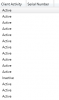
Our Devices Node serial number is blank for all machines. We resorted to queries and reports to search by serial number, which is a pain.

I've checked checked in the hardware inventory and we have PC BIOS (Serial Number) and System Enclosure (Serial number) both checked.

I've even gone as far as looking up how to create an entire new node to grab the serial using the console builder, but I'm just skirting the problem.

Any ideas? They are all Dell machines.

 
You can generate a report with devices in a collection . Navigate to the report node and under assist intelligence there will be the report you might be looking for
 
You can generate a report with devices in a collection . Navigate to the report node and under assist intelligence there will be the report you might be looking for

Sorry Salem, im not looking for a report. The Serial number is blank under devices
1599845947038.png
1599845921172.png
 
You can create a new view if you like. but IMO, I would create a report for this. I'm not sure why you would care about a SN within the console view.
 
Well, its so the Help Desk folks can easily search by serial number because sometime the computer name isnt available
 
Thank you so much for your reply, Garth.

I relieved this from Microsoft:


Thank you for posting in Microsoft Q&A forum.
From my experience, the Serial number is for mobile devices only in console.
Here is also a UserVoice about this requirement:
https://configurationmanager.uservo...ardware-inventory-information-to-devices-view
You may try the methods to meet your requirement now:
1) Create a custom report following this guidance:
https://docs.microsoft.com/en-us/ar...ystem-serial-number-create-custom-ssrs-report
2) Go to Monitoring -> Overview -> Queries, and make a query that output the results in a column view. Just create a new query and name it something like "All Systems (with Serial Number)" then use this query

  1. select SMS_R_System.Name,
  2. SMS_G_System_PC_BIOS.SerialNumber,
  3. SMS_R_System.SMSAssignedSites,
  4. SMS_R_System.IPAddresses,
  5. SMS_R_System.IPSubnets,
  6. SMS_R_System.OperatingSystemNameandVersion,
  7. SMS_R_System.ResourceDomainORWorkgroup,
  8. SMS_R_System.LastLogonUserDomain,
  9. SMS_R_System.LastLogonUserName,
  10. SMS_R_System.SMSUniqueIdentifier,
  11. SMS_R_System.ResourceId,
  12. SMS_R_System.ResourceType,
  13. SMS_R_System.NetbiosName,
  14. SMS_R_System.ClientType from SMS_R_System join
  15. SMS_G_System_PC_BIOS on SMS_G_System_PC_BIOS.ResourceID = SMS_R_System.ResourceId
 
The SN is a hold over from SMS 1.x days, and doing SNMP scanning. MS reused the SN for mobile devices too.

Just to be clear the query list will NOT allow you to create a Report. It can be use for collections.
 

Forum statistics

Threads
7,186
Messages
28,051
Members
18,327
Latest member
prasannan

Trending content

Back
Top