
Gregg Cooper
Member
- Messages
- 22
- Reaction score
- 0
- Points
- 1
Having an extremely frustrating experience with one of my sites running SCCM.
Setup:
SCCM 1706 on SQL 2014 on Windows Server 2012 R2 (All in one box)
Windows 10 1703 Education clients
Issue:
Having major recurring problems with Windows 10 clients getting updates via SCCM.
No Updates appear in software centre or download/install to the affected clients.
Details:
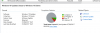
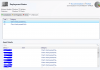
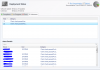
Auto Deployment rule monitor shows barely any clients in a detectable state. Most show Client Check passed Active. Only 3 show compliant and this is out of date.
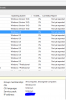
WSUS console shows the affected clients as OS: Windows 0.0 but working ones as Windows (version 10.0)
WUAHandler.log on affected clients have this error:
OnSearchComplete - Failed to end search job. Error = 0x80244007.
Scan failed with error = 0x80244007. WUAHandler 07/09/2017 10:47:24 8684 (0x21EC)
UpdateHandler.log has error:
Updates scan completion received, result = 0x80244007.
Workaround I have found:
Delete the client out of WSUS and run all actions in Config Console on the client. Everything kicks into life and updates all start flowing.
Issue with workaround:
After a short while the client pops back into WSUS as Windows 0.0 and the errors above start again and breaks the updates.
Still dont get any feedback in SCCM monitoring about compliance.
What I have tried:
Uninstalling WSUS and SUP, then reinstalling.
Reinstalling SCCM client.
Completely rebuilding client (albeit with the same name)
Its completely stumping me. My other sites have no issues. Only difference on my other sites is they sit on SQL 2016 and Server 2016.
I am happy to provide as much detail as required and whatever logs may help.
Screenshots:
Setup:
SCCM 1706 on SQL 2014 on Windows Server 2012 R2 (All in one box)
Windows 10 1703 Education clients
Issue:
Having major recurring problems with Windows 10 clients getting updates via SCCM.
No Updates appear in software centre or download/install to the affected clients.
Details:
Auto Deployment rule monitor shows barely any clients in a detectable state. Most show Client Check passed Active. Only 3 show compliant and this is out of date.
WSUS console shows the affected clients as OS: Windows 0.0 but working ones as Windows (version 10.0)
WUAHandler.log on affected clients have this error:
OnSearchComplete - Failed to end search job. Error = 0x80244007.
Scan failed with error = 0x80244007. WUAHandler 07/09/2017 10:47:24 8684 (0x21EC)
UpdateHandler.log has error:
Updates scan completion received, result = 0x80244007.
Workaround I have found:
Delete the client out of WSUS and run all actions in Config Console on the client. Everything kicks into life and updates all start flowing.
Issue with workaround:
After a short while the client pops back into WSUS as Windows 0.0 and the errors above start again and breaks the updates.
Still dont get any feedback in SCCM monitoring about compliance.
What I have tried:
Uninstalling WSUS and SUP, then reinstalling.
Reinstalling SCCM client.
Completely rebuilding client (albeit with the same name)
Its completely stumping me. My other sites have no issues. Only difference on my other sites is they sit on SQL 2016 and Server 2016.
I am happy to provide as much detail as required and whatever logs may help.
Screenshots:


