Forums on Intune, SCCM, and Windows 11

Welcome to the forums. Register a free account today to become a member! Once signed in, you'll be able to participate on this site by adding your topics and posts, as well as connect with other members through your own private inbox!

SOLVED SCCM Waiting for Content

Status
Not open for further replies.

SMBMHC

New Member
Messages
2
Reaction score
0
Points
1
How does one determine which piece of content is missing from a DP when a task sequence doesn't execute with a "Waiting for Content" status? We deployed a task sequence with several (lots) of packages/applications associated with it, and all the PC's at one particular location did not run due to the missing content. I ended up redistributing each package and was able to resolve the issue, but my question is how could I have made this easier on myself to find just the one that it thought it was missing or corrupted? I'm 100% confident all the content had already been distributed to the DP, so I know something wasn't inadvertently missed. Any help would be appreciated.
 
How does one determine which piece of content is missing from a DP when a task sequence doesn't execute with a "Waiting for Content" status? We deployed a task sequence with several (lots) of packages/applications associated with it, and all the PC's at one particular location did not run due to the missing content. I ended up redistributing each package and was able to resolve the issue, but my question is how could I have made this easier on myself to find just the one that it thought it was missing or corrupted? I'm 100% confident all the content had already been distributed to the DP, so I know something wasn't inadvertently missed. Any help would be appreciated.

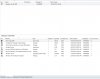
The easiest way I always find before deploying a TS is to go to the Task Sequence node and select the TS I will be deploying then at the bottom section I will check the References tab, specifically the Complainace column this tells if there is a package or application is used but not distributed, also you need to pay attention to the Targeted column this will tell ya how many DPs has got the content.

Does the TS says waiting on contecnt on multiple machines or only few and it works on some others!?
 

Attachments

  • references.jpg
    references.jpg
    113.1 KB · Views: 56
Thanks for the reply. The content should have already been on the DP. We use groups to distribute everything, so again, I'm 100% confident that everything was already there. We don't proceed with any deployments until everything reads 100% My guess is that something was either corrupt, or ConfigMgr incorrectly reported that the content was there. The TS failed on every PC at that particular location.

In my original request, I'm more so looking for a way to know specifically which package ID is "missing".
 
Even though you are 100% confident double and triple checking is always good. I never seen SCCM report incorrectly for distributed packages, but you can check on this DP at this location in it's content library and see if all of the TS packages has been distributed or not. The other way to confirm that packages has been distributed correctly please check the SCCM server logs, specifically PkgXferMgr.log and look for the package IDs.

I have been using SCCM for over 4 years now and never came accross something that would tell you exactly which package that is causing the TS to show "waiting for content". If you ever find this I will be so greatful if you could share this info with me.
 
Status
Not open for further replies.

Forum statistics

Threads
7,165
Messages
27,965
Members
18,266
Latest member
josed

Trending content

Back
Top