Forums on Intune, SCCM, and Windows 11

Welcome to the forums. Register a free account today to become a member! Once signed in, you'll be able to participate on this site by adding your topics and posts, as well as connect with other members through your own private inbox!

SOLVED SCCM DP Error 0x80070003 CContentDefinition::GetFileProperties Failed

Status
Not open for further replies.

Frank Reynolds

New Member
Messages
2
Reaction score
0
Points
1
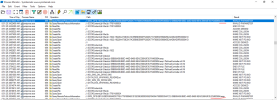
Good Morning, I'm trying to push a driver pack which is part of a TS our remote site uses. When trying to push the driver pack I get the following errors out of the pkgxfermrg.log:

CContentDefinition::GetFileProperties for \\?\E:\SCCMContentLib\DataLib\EF5A1BE4-9400-4A95-9BD4-39DC4BCC37EC\iqvw64e.sys.INI failed. Error code = 0x80070003

CSendFileAction::SendFiles failed for path iqvw64e.sys. Error code = 0x80070003 SMS_PACKAGE_TRANSFER_MANAGER 3/27/2023 10:30:19 AM 13904 (0x3650)

CSendFileAction::SendContent failed; 0x80070003 SMS_PACKAGE_TRANSFER_MANAGER 3/27/2023 10:30:19 AM 13904 (0x3650)
Sending failed. Failure count = 2, Restart time = 3/27/2023 11:00:19 AM -0500 SMS_PACKAGE_TRANSFER_MANAGER 3/27/2023 10:30:19 AM 13904 (0x3650)

I can browse to the unc path from the site server and the file appears to be there. I have tried deleting the content from the remote DP, running content clean up, rebooting, and redistributing but I still encounter the same issue. I've also checked permissions for the directory and they seem like they're inline with the rest of our content. I applied the hotfix patch to 2211 the Friday before this became an issue too. Any insights would be wonderful.
 
Solution
For anyone else that happens to run into this, I'm guessing why I'm not getting any replies is because this was resolved with ConfigMgr 2309 w/ Hotfix KB27863823. And apparently we are one of the last ones to upgrade to it during our migration off of 2012 R2 servers.

But definitely appears to have fixed the issue for us.
We've disabled antivirus on both the site server and DP, still seeing the same error. No firewall or network upgrades have taken place since the last successful transfer.

CContentDefinition::GetFileProperties for \\?\E:\SCCMContentLib\DataLib\EF5A1BE4-9400-4A95-9BD4-39DC4BCC37EC\iqvw64e.sys.INI failed. Error code = 0x80070003 SMS_PACKAGE_TRANSFER_MANAGER 3/28/2023 8:23:48 AM 7716 (0x1E24)
 
We've disabled antivirus on both the site server and DP, still seeing the same error. No firewall or network upgrades have taken place since the last successful transfer.

CContentDefinition::GetFileProperties for \\?\E:\SCCMContentLib\DataLib\EF5A1BE4-9400-4A95-9BD4-39DC4BCC37EC\iqvw64e.sys.INI failed. Error code = 0x80070003 SMS_PACKAGE_TRANSFER_MANAGER 3/28/2023 8:23:48 AM 7716 (0x1E24)
If no security softwares are the cause, I would be curious to know why this happens.
 
Hello,

I am having the same issue. We setup a new DP on Windows Server 2022.

This seems to be problematic on Dell Driver Packs (example here is a Latitude 7340 revision A02). We have spent weeks going back and forth with network and security. Firewalls open and all MS Defender Endpoint have been totally offboarded. Smaller packages are able to distribute fine to the same problematic server.

We get the following pckXferMgr.log for the same 4 files every time:
  • CContentDefinition::GetFileProperties for \\?\J:\SCCMContentLib\DataLib\1979A365-641F-4502-AE11-DCDFF4FB9610\10\9\MaxxAudio_Data.cab.INI failed. Error code = 0x80070003
  • CContentDefinition::GetFileProperties for \\?\J:\SCCMContentLib\DataLib\2EC7219C-B4EF-4CFB-9C15-7DAA1FF4616B\MaxxAudio_Data.cab.INI failed. Error code = 0x80070003
  • CContentDefinition::GetFileProperties for \\?\J:\SCCMContentLib\DataLib\81E027E3-BAD8-47D2-B9AF-31DDD6D50AEE\TigerlakePCH-LPSystem.inf.INI failed. Error code = 0x80070003
  • CContentDefinition::GetFileProperties for \\?\J:\SCCMContentLib\DataLib\9F1BEA06-1644-4C2B-B56F-56FD34BE6530\WoV\Echo\m\fr-FR\echo_fr-FR_ex.hsc.INI failed. Error code = 0x80070003

And then the subsequent send failures after:
  • CSendFileAction::SendFiles failed for path 10\9\MaxxAudio_Data.cab. Error code = 0x80070003 SMS_PACKAGE_TRANSFER_MANAGER 2023-11-19 8:51:27 AM 20112 (0x4E90)

Removing the content, updating the distribution point, and re-distributing it has no effect on the problematic DP. Other DPs can get it fine.

The only clue on the problematic DP is in the procmon, for this specific driver package there is the following errors repeated for the Latitude 7340 package ID P0400954:

Process: wmiprvse.exe
Operation: QueryRemoteProtocolInformation
Path: J:\SMS_DP$\19228A4738C8A7AC95B9DE66FF626D677A76093D596845E24ADBAD0FB300041D-09B88A69-0B0C-446D-8468-9EACE66A0F26.P0400954.temp
Result: INVALID PARAMETER

QueryRemoteProtocolInformationFailed_2.PNG

Does this suggest something is wrong with the WMI on the DP server?

Thanks for any input you may have.
 
0x80070003 = The system cannot find the path specified.

So does the file exist? is it being blocked by you AV SW?
 
We are seeing the same issue after moving our primary and SQL from Windows Server 2012 R2 to Windows Server 2022.
I was thinking that it was likely related to a problem we had during the restoration process. We had two different SCCMContentLib folders on different drives and SCCM started using the wrong one after the restore. Once I caught it, I was able to get the right folder moved to the new location and that seemed to help it find about 70% of the content... but we still saw those same "0x80070003" errors fairly often.

I've been noticing that it it almost always having trouble with "*.ini" files.

Here's a clip from our PkgXferMgr.log from our primary site server:
CContentDefinition::GetFileProperties for \\?\H:\SCCMContentLib\DataLib\94854a65-8c8d-4777-be05-001c8016a434\SSU-19041.3562-x86.cab.INI failed. Error code = 0x80070003 SMS_PACKAGE_TRANSFER_MANAGER 12/18/2023 3:41:59 PM 8128 (0x1FC0)
TotalFileSizes(...) did not succeed: 0x80070003 SMS_PACKAGE_TRANSFER_MANAGER 12/18/2023 3:41:59 PM 8128 (0x1FC0)
CContentDefinition::GetFileProperties for \\?\H:\SCCMContentLib\DataLib\9b3c884e-5bce-4774-85a9-162d5fd6b473\Windows10.0-KB5031356-x64.cab.INI failed. Error code = 0x80070003 SMS_PACKAGE_TRANSFER_MANAGER 12/18/2023 3:41:59 PM 8128 (0x1FC0)
TotalFileSizes(...) did not succeed: 0x80070003 SMS_PACKAGE_TRANSFER_MANAGER 12/18/2023 3:41:59 PM 8128 (0x1FC0)
CContentDefinition::GetFileProperties for \\?\H:\SCCMContentLib\DataLib\aba16492-0e08-4704-a680-d1b0fa2b0987\visio-x-none.cab.INI failed. Error code = 0x80070003 SMS_PACKAGE_TRANSFER_MANAGER 12/18/2023 3:41:59 PM 8128 (0x1FC0)
TotalFileSizes(...) did not succeed: 0x80070003 SMS_PACKAGE_TRANSFER_MANAGER 12/18/2023 3:41:59 PM 8128 (0x1FC0)
CContentDefinition::GetFileProperties for \\?\H:\SCCMContentLib\DataLib\acafa398-9a76-48d6-8b10-22cbfe458e42\onenote-x-none.cab.INI failed. Error code = 0x80070003 SMS_PACKAGE_TRANSFER_MANAGER 12/18/2023 3:41:59 PM 8128 (0x1FC0)
TotalFileSizes(...) did not succeed: 0x80070003 SMS_PACKAGE_TRANSFER_MANAGER 12/18/2023 3:41:59 PM 8128 (0x1FC0)
CContentDefinition::GetFileProperties for \\?\H:\SCCMContentLib\DataLib\b75a617f-3e9e-41ee-acb7-d1ab7e4adca3\visio-x-none.cab.INI failed. Error code = 0x80070003 SMS_PACKAGE_TRANSFER_MANAGER 12/18/2023 3:41:59 PM 8128 (0x1FC0)


To answer Garth's question. Yes. When I check the paths, the files exists and I can open the file and see the hash and other info recorded in it.

One thing that has changed (other than the server OS) is that we are now using Windows Defender instead of McAfee. We have the H:\SCCMContentLib folder listed in the Defender Exclusions.
For us, it seems that once we do an "Update Distribution Points" on the package or "Update Content" on the Application, it tends to go through OK. And then we can successfully "Redistribute" the content after that. I know that would point to missing content in the library... but the content appears to be there.
 
Hi All! Do we have an update on this issue and the exact root cause please? I have similar issue on my infrastructure. Antivirus, web filtering solution have been ruled out not to cause this. Specific packages only are getting failed to one specific distribution.
 
Same issue. Dell drivers acquired and packaged using MSEndpointMgr's Driver Automation Tool. Same way I've been doing it for years. We are in process of moving everything to new 2022 servers, but I'm positive this started before we began moving adding any ConfigMgr roles to the 2022 servers. Some will mostly finish distributing. Most will fail on all DPs (100's of DPs).

Any update from anyone?
 
For anyone else that happens to run into this, I'm guessing why I'm not getting any replies is because this was resolved with ConfigMgr 2309 w/ Hotfix KB27863823. And apparently we are one of the last ones to upgrade to it during our migration off of 2012 R2 servers.

But definitely appears to have fixed the issue for us.
 
Solution
Status
Not open for further replies.
Back
Top