Forums on Intune, SCCM, and Windows 11

Welcome to the forums. Register a free account today to become a member! Once signed in, you'll be able to participate on this site by adding your topics and posts, as well as connect with other members through your own private inbox!

PENDING SCCM device collection with machine count limit

araimondi

Well-Known Member
Messages
78
Reaction score
2
Points
8
Hi guys

Is there a way to create a query based collection based off a OU but only up to a certain amount of machines? In other words I have a OU that has 1100 machines in it but I want to create a query based collection that will only have 1/2 that amount and another colection with the other 1/2 . I need to do this becuase of bandwith when I deploy Windows updates. I hope that makes sense
 
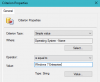
Hey mate, you can split these machines based on their Operating Systems, Hard disk capacities lots of other things you can specify, things like that.

upload_2017-9-21_14-18-1.png
 
I don’t think it's possible but you can create separate collections with a query based on the operating system: Windows 7, Windows 10.., in the same OU.
 
I don’t think it's possible but you can create separate collections with a query based on the operating system: Windows 7, Windows 10.., in the same OU.

Sorry I haven't elaborated what I meant by splitting the machines, biasically what you said Youssef is what I meant :)
 
Yeah that wont help we only have Windows 7 machines . I was hoping to save bandwidth because pushing Updates to 1100 machines at once puts a strain on performance. I am trying to figure out a way to split it up. Currently I do as a direct membership but as machines get added and taken away it becomes unworkable so I wanted a Query based
 
Thanks for the help but I may be out of luck. About 80% of the machines in this OU are exactly the same OS and hardware wise
 
if you have wake on lan enabled, then set up maintenance window and then you only apply updates during out of office hours time.
 
I wanted to do that but most are laptops people take home everyday
set deadline around 4.30PM and tick Allow clients to share content with other clients on the same subnet and add more DPs! otherwise, deploy updates more often so its not a big one if you do it only once a month.

Perhaps, one deployment that runs every 3 days with suppress restart and install on deadline and another rule that run every 2 weeks that will actually restart it.
 

Forum statistics

Threads
7,144
Messages
27,894
Members
18,190
Latest member
escdarck

Trending content

Back
Top