Forums on Intune, SCCM, and Windows 11

Welcome to the forums. Register a free account today to become a member! Once signed in, you'll be able to participate on this site by adding your topics and posts, as well as connect with other members through your own private inbox!

SOLVED sccm client push not working 0x87d00215

  • Thread starter Thread starter ramithlal
  • Start date Start date
  • Replies Replies 11
  • Views Views 5K
Status
Not open for further replies.

ramithlal

Member
Messages
13
Reaction score
0
Points
1
Failed to get DP locations as the expected version from MP Servername. Error 0x87d00215
this is the error showing, please help me....
log file attached
 

Attachments

Solution
Ok. Can you post the steps .
I know this is an old thread, but I had the same issue with the client not installing via push. For me your advice pointing to the boundary groups led me to check out my boundary group's properties->References tab->Use this boundary group for site assignment.

Once I checked that box it started auto-installing the client.
but now sccm sever itself showing as a client and the client software is successfully installed on it
 

Attachments

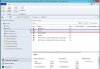
  • sccm.jpg
    sccm.jpg
    135.7 KB · Views: 14
check the boundary once and make sure that below URL is accessible from client
http://<ServerName>/sms_mp/.sms_aut?mplist
https://<ServerName>/sms_mp/.sms_aut?mplist

and
http://<ServerName>/sms_mp/.sms_aut?mpcert
https://<ServerName>/sms_mp/.sms_aut?mpcer
 
Sounds good .


1 , Can you share the boundary SS from administration panel

2.You can try below

- Select the site under administration > site configuration > sites

- Opened Hierarchy Settings (second button on top left corner)

- Enabled the "Use a fallback site" checkbox and selected your only site from the list

- Enabled the the two checkboxes in "Automatic Client Upgrade" tab to automatically upgrade clients and enable prestaged content for SCCM client package.

3.What about firewall setting ?
 
Thanks Gokul for your support
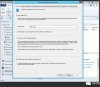
1. boundary details attached.
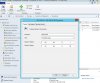
2. i'm already updated hierarchy settings screenshot attached
3.both firewall of server and client is off

please help me to find the problem....
 

Attachments

  • boundaries.jpg
    boundaries.jpg
    155.5 KB · Views: 20
  • hierarcy-settings.jpg
    hierarcy-settings.jpg
    198.6 KB · Views: 19
Ok. Can you post the steps .
I know this is an old thread, but I had the same issue with the client not installing via push. For me your advice pointing to the boundary groups led me to check out my boundary group's properties->References tab->Use this boundary group for site assignment.

Once I checked that box it started auto-installing the client.
 
Solution
Status
Not open for further replies.

Forum statistics

Threads
7,135
Messages
27,868
Members
18,159
Latest member
jordysmits
Back
Top