Forums on Intune, SCCM, and Windows 11

Welcome to the forums. Register a free account today to become a member! Once signed in, you'll be able to participate on this site by adding your topics and posts, as well as connect with other members through your own private inbox!

SOLVED SCCM Client agent not Installing and unmanaged

  • Thread starter Thread starter guju45
  • Start date Start date
  • Replies Replies 7
  • Views Views 11K
Status
Not open for further replies.

guju45

Member
Messages
6
Reaction score
1
Points
3
Hello everyone,

I've just reinstalled SCCM on a new Windows Server 2016. I'm having trouble installing the SCCM Client. I've already added a local admin account on the Client Push Installation settings and added the appropriate boundary groups. I'm not sure what i'm missing. Please help

Error Message:
---> The 'best-shot' account has now succeeded 7 times and failed 0 times.
NetUseAdd failed: 1219: dwParamError = 0 for IPC$ authentication
Execute query exec [sp_CP_SetLastErrorCode] 2097152000, 0
 

Attachments

Last edited:
Well the first one in the log was successful. What is the problem exactly?
 
The client gets installed. However, it does not communicate with the SCCM server. Under assets and compliance, the device shows no client is installed and it is unmanaged.
 
Did you approve them? Is you MP healthy? Do they fall within the boundaries?
 
Did you approve them? You really should use IP Ranges, instead of AD sites.
 
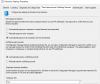
Is this where I would approve them? Okay, I can change it to IP Ranges and remove the AD sites. Also, under devices, the Approve option is grayed out for all clients.
 

Attachments

  • Capture.PNG
    Capture.PNG
    33.2 KB · Views: 105
Last edited:
It's working now. Thank you! The Active Directory User Discovery method was disabled. After enabling and running a full discovery, the client was able to install.
 
Status
Not open for further replies.

Forum statistics

Threads
7,165
Messages
27,967
Members
18,271
Latest member
prashantrm

Trending content

Back
Top