Thank you for the information, master, I will try to explain the problem a little more detailed, since I have managed to solve it but I have not found any post as such that indicates how to do it, but with its capture it helped me too much to see the error, in case someone helps you solve it
When the sccm installation is done for the first time, it is indicated that the user is not recommended to change the password since it is linked with several components of the console and sql, also for policies in the company it must be done every so often, in its At the moment I tried it but I was not successful since I lacked certain steps or it could be that I lacked experience in knowing how it worked, that said
1.- As a first step is to change the user's password already local or AD and validate the correct login to the session
2.- Enter sql server configuration manager and within the section of SQL server services on the right side, select the service and right click - properties, and enter the new password in my case they are only 2, sql server (instance) and sql server agent (instance) within this section
3.- After entering "sql server reporting services configuration manager", connect to the instance, within the service account, enter the new password, then in the database section, also change the new password
* Apply a restart of the 3 configured services
4.- Now enter the sccm console and in the administration section - security - accounts - select user - right click - set - change the new password
5.- In the same administration section - site configuration - sites - select site - right click - client installation settings - client push installation - accounts - remove and add account with the new password
6.- Restart the sms_executive service and validate the correct execution of SCCM
* If there is a problem with the sms_executive service in my case it is stuck, use cmd with the following command, taskkill / f / pid (pid service sms_executive at that time of the task manager)
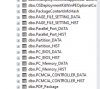
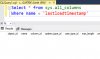
For what Master Garth mentioned, the tables that indicated the error in my case, are related to the PowerBI board, and I did not know what application they were, but with the capture you gave me an idea since they are not updated after updating the password , the procedure for those who pass them, is simple:
* Use the template installer and uninstall and re-install it normally, at the end you can see the correct connection again, I hope and help someone
Before hand thanks Master Garth, you helped me to route the solution because as I mentioned, many colleagues indicated that it could not be done since it was linked with several components, but now I see that there is almost always some solution even if it is a bit laborious
Regards!!