
Forums on Intune, SCCM, and Windows 11
You are using an out of date browser. It may not display this or other websites correctly.
You should upgrade or use an alternative browser.
You should upgrade or use an alternative browser.
SOLVED Packaging Uninstall Application and Detection Rule
- Thread starter micdam
- Start date
- Replies 12
- Views 16K
- Status
- Not open for further replies.

- Messages
- 5,054
- Solutions
- 147
- Reaction score
- 983
- Points
- 413
You can simple create a text file on the hard drive as the last step in the script, and then use that text file as the detection method. Or try something like this - http://www.scriptersinc.com/sccm-detection-method-for-an-app-uninstall/
- Messages
- 5,054
- Solutions
- 147
- Reaction score
- 983
- Points
- 413
sorry i should have written it more clearly, create a text file on the hard drive as the last step in the script, and then use that text file as the detection method.
- Messages
- 5,054
- Solutions
- 147
- Reaction score
- 983
- Points
- 413
Are you running this uninstall on all systems to clean/uninstall fsecure ?. Is fsecure installed on all machines ?. If it's an executable, go ahead and deploy the package to uninstall the fsecure. Why do you need detection methods for uninstalling it ?.
- Messages
- 5,054
- Solutions
- 147
- Reaction score
- 983
- Points
- 413
If your goal is ensure that app has been uninstalled after you run the deployment, then create a script to uninstall fsecure and create a text file on the hard drive as the last step in the script, and then use that text file as the detection method. I hope you got the idea.
- Thread Starter
- #8
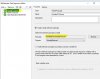
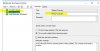
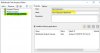
i deploy the package but i need to install, immediately after uninstalletion, bitdefender.
i try to do this using a task sequence but it doesn't work because the step on uninstalling did not finished when the step of installng starts.
i try to do this using a task sequence but it doesn't work because the step on uninstalling did not finished when the step of installng starts.
Attachments




- Messages
- 5,054
- Solutions
- 147
- Reaction score
- 983
- Points
- 413
In my experience, when you uninstall any AV it needs a reboot. Sometimes the av uninstallation takes longer time to uninstall while you have set another av to install it after that. Of course there are many ways to achieve this task. here is my simple question, why are you not breaking this process in two steps.
1) Uninstall fsecure cleanly on all machines.
2) Install the new AV on all machines.
1) Uninstall fsecure cleanly on all machines.
2) Install the new AV on all machines.
- Thread Starter
- #12
i do it in this way
In my experience, when you uninstall any AV it needs a reboot. Sometimes the av uninstallation takes longer time to uninstall while you have set another av to install it after that. Of course there are many ways to achieve this task. here is my simple question, why are you not breaking this process in two steps.
1) Uninstall fsecure cleanly on all machines.
2) Install the new AV on all machines.
- Messages
- 5,054
- Solutions
- 147
- Reaction score
- 983
- Points
- 413
That's great.
- Status
- Not open for further replies.