Forums on Intune, SCCM, and Windows 11

Welcome to the forums. Register a free account today to become a member! Once signed in, you'll be able to participate on this site by adding your topics and posts, as well as connect with other members through your own private inbox!

SOLVED OSD TS 80070002 errors on some PCs

  • Thread starter Thread starter ferratho
  • Start date Start date
  • Replies Replies 5
  • Views Views 3K
Status
Not open for further replies.

ferratho

New Member
Messages
4
Reaction score
0
Points
1
I have PCs failing during OSD task sequences during the apply os phase. Typically they present 80070002 errors. However, the same model computer plugged in right next to it succeeds. These are the same hardware/drivers, same networking, same TS but one succeeds and one does not. The successes tell me that I have no problems with pkg distribution or network access accounts. I'm not sure which logs to view as there are so many locations where logs exist. In truth, I'm not sure what I'm looking at when in there. I see references to files not being found which may be a permissions issue. But if the machine next to it can access the same material with the same credentials, I don't see how that can be the problem.
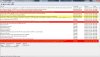
 
site won't let me upload a log file but here's a screen capture
 

Attachments

  • cmtrace.jpg
    cmtrace.jpg
    402.5 KB · Views: 3
Uggg. Just realized that when I created this post (on my phone) I was in the New Users Intro forum. Now I can't figure out how to move it. My apologies. Can this be moved where it belongs?
 
In your TS how are you applying your Operating System? From a captured image or from an original installation source? Is your image on your Distribution Point ?
 
Thanks, Prajwal. The TS deploys a captured WIM and yes it is on a d.p. Some machines (identical hardware, networking, permissions, TS, etc.) will run it just fine. I think that, ultimately, it had something to do with Wakeup Proxy in the client settings. I have read that this can cause your networking security to shut down ports. I turned off those power mgmt settings and I can now image consistently.
 
Status
Not open for further replies.

Forum statistics

Threads
7,126
Messages
27,829
Members
18,138
Latest member
justkellen

Latest posts

Trending content

Back
Top