Forums on Intune, SCCM, and Windows 11

Welcome to the forums. Register a free account today to become a member! Once signed in, you'll be able to participate on this site by adding your topics and posts, as well as connect with other members through your own private inbox!

SOLVED OSD hang on the configuration manager blank screen

  • Thread starter Thread starter WBH
  • Start date Start date
  • Replies Replies 7
  • Views Views 8K

WBH

Member
Messages
19
Solutions
2
Reaction score
0
Points
1
Hello,
Suddenly, my TSQ don't run anymore and hang on a blank screen then reboot.
I'm runing CM2111 with one site system and 7 MP/DP
I rebuilt boot image, try fresh tsq, reinstall ADK 2004, reinstall MP roles but still the same
I attached an smsts.log.
Would someone advise me please ?
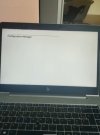
1671728324050.jpeg
 

Attachments

Last edited:
Hello,
Suddenly, my TSQ don't run anymore and hang on a blank screen then reboot.
I'm runing CM2111 with one site system and 7 MP/DP
I rebuilt boot image, try fresh tsq, reinstall ADK 2004, reinstall MP roles but still the same
I attached an smsts.log.
Would someone advise me please ?
start the command prompt at this screen you posted and check if you get an IP address
 
start the command prompt at this screen you posted and check if you get an IP address
Hello Ahmed,
I already checked and there is no Ip address, seems like the network card is disabled (Windows Ip configuration) also I can't ping any DPs.
I tried to add drivers but I always got and error when updating the boot image.
Noted this happen after I upgrade my site system to version 2111 and all deployment are on a physical devices, HP laptop here (no VM).
 
Hello Ahmed,
I already checked and there is no Ip address, seems like the network card is disabled (Windows Ip configuration) also I can't ping any DPs.
I tried to add drivers but I always got and error when updating the boot image.
Noted this happen after I upgrade my site system to version 2111 and all deployment are on a physical devices, HP laptop here (no VM).
japp. i doubted a network driver error.
first of all try to update your distibution point choose "reload this boot image with the current windows PE" boot images. just dont add or remove any drivers. check the log for missing drivers and remove those that are not present or not compatible. after that add the new network drivers for that PC you working with and run another update distribution point but this time dont choose reload. Remember only WinPe drivers and dont add many at one time.
if that doesnt work, just build a new boot image from a fresh one and dont use a used boot image.
 
japp. i doubted a network driver error.
first of all try to update your distibution point choose "reload this boot image with the current windows PE" boot images. just dont add or remove any drivers. check the log for missing drivers and remove those that are not present or not compatible. after that add the new network drivers for that PC you working with and run another update distribution point but this time dont choose reload. Remember only WinPe drivers and dont add many at one time.
if that doesnt work, just build a new boot image from a fresh one and dont use a used boot image.
I Already did this.
New boot image with no drivers then and drivers and check the dism.log, removed obsolete ones but still hanging on a white screen.
I will try again.
BTW, do you know haw we can restore default boot image deleted only from the console but still present under osd folder. When I try to do it I get error like failed cause it's a read only file.
Thank you
 
I Already did this.
New boot image with no drivers then and drivers and check the dism.log, removed obsolete ones but still hanging on a white screen.
I will try again.
BTW, do you know haw we can restore default boot image deleted only from the console but still present under osd folder. When I try to do it I get error like failed cause it's a read only file.
Thank you
try using a vm or an older laptop model by adding the PE drivers. in regard to the second question, browse to your ADK folder and use Copype.cmd to copy the boot.wim to your osd directory.
 
try using a vm or an older laptop model by adding the PE drivers. in regard to the second question, browse to your ADK folder and use Copype.cmd to copy the boot.wim to your osd directory.
Thank you,
FYI copype is now called copydandI
 
Back
Top