I,
i create an application for an msi and it fails with thi error:
it seems the detection method failed , i changed the detection method using folder searc or registry key but it alaways fails
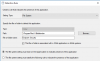
OR
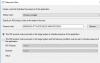
OR
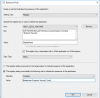
The error code 0x87d00324 (-2016410844) but the setup process will work and after few minutes was installed.
here the logs
CITaskMgr.log:
###############################
![LOG[State transition to (ExecutionFailure), Param(-2016410844) : CITask(ScopeId_7192767D-1971-4A16-AA90-BC19073048AF/DeploymentType_da2c6721-0f72-4173-9751-7688161c6dc8.1..Install.Enforce)]LOG]!><time="16:58:27.233-120" date="09-05-2018" component="CITaskMgr" context="" type="1" thread="1724" file="citask.cpp:1311">
<![LOG[State transition to (ExecutionFailure), Param(-2016410844) : CTaskConsumer(ScopeId_7192767D-1971-4A16-AA90-BC19073048AF/DeploymentType_da2c6721-0f72-4173-9751-7688161c6dc8.1.{1B4FD9AA-F1C1-4C4D-8D2D-900C61B9F3AC})]LOG]!><time="16:58:27.233-120"
date="09-05-2018" component="CITaskMgr" context="" type="1" thread="1724" file="citaskconsumer.cpp:387">
#############################
CIAgent.log
########################
Line 286: <![LOG[CCIInfo::SetError - Setting CI level error to (0x87d00324).]LOG]!><time="16:58:27.355-120" date="09-05-2018" component="CIAgent" context="" type="2" thread="11372" file="ciinfo.cpp:1397">
Line 475: <![LOG[CCIInfo::SetError - Setting CI level error to (0x87d00324).]LOG]!><time="16:59:05.411-120" date="09-05-2018" component="CIAgent" context="" type="2" thread="4408" file="ciinfo.cpp:1397">
##########################
i create an application for an msi and it fails with thi error:
it seems the detection method failed , i changed the detection method using folder searc or registry key but it alaways fails
OR
OR
The error code 0x87d00324 (-2016410844) but the setup process will work and after few minutes was installed.
here the logs
CITaskMgr.log:
###############################
![LOG[State transition to (ExecutionFailure), Param(-2016410844) : CITask(ScopeId_7192767D-1971-4A16-AA90-BC19073048AF/DeploymentType_da2c6721-0f72-4173-9751-7688161c6dc8.1..Install.Enforce)]LOG]!><time="16:58:27.233-120" date="09-05-2018" component="CITaskMgr" context="" type="1" thread="1724" file="citask.cpp:1311">
<![LOG[State transition to (ExecutionFailure), Param(-2016410844) : CTaskConsumer(ScopeId_7192767D-1971-4A16-AA90-BC19073048AF/DeploymentType_da2c6721-0f72-4173-9751-7688161c6dc8.1.{1B4FD9AA-F1C1-4C4D-8D2D-900C61B9F3AC})]LOG]!><time="16:58:27.233-120"
date="09-05-2018" component="CITaskMgr" context="" type="1" thread="1724" file="citaskconsumer.cpp:387">
#############################
CIAgent.log
########################
Line 286: <![LOG[CCIInfo::SetError - Setting CI level error to (0x87d00324).]LOG]!><time="16:58:27.355-120" date="09-05-2018" component="CIAgent" context="" type="2" thread="11372" file="ciinfo.cpp:1397">
Line 475: <![LOG[CCIInfo::SetError - Setting CI level error to (0x87d00324).]LOG]!><time="16:59:05.411-120" date="09-05-2018" component="CIAgent" context="" type="2" thread="4408" file="ciinfo.cpp:1397">
##########################
Attachments
Last edited: