Forums on Intune, SCCM, and Windows 11

Welcome to the forums. Register a free account today to become a member! Once signed in, you'll be able to participate on this site by adding your topics and posts, as well as connect with other members through your own private inbox!

SOLVED MRIMG image change to WMI

  • Thread starter Thread starter Nitin_ted
  • Start date Start date
  • Replies Replies 9
  • Views Views 7K
Status
Not open for further replies.

Nitin_ted

Well-Known Member
Messages
87
Solutions
1
Reaction score
2
Points
8
Hello All, can anyone please share how can i convert MRIMG image (I used macrium reflected free version to create the image) to WMI? I don't see an option to export out in a different format or any setting so I can change it. If any tool or software is available to do that, please share.

Reason to change- I want to deploy this image in TASK sequence PXE.
 
Hello All, can anyone please share how can i convert MRIMG image (I used macrium reflected free version to create the image) to WMI? I don't see an option to export out in a different format or any setting so I can change it. If any tool or software is available to do that, please share.

Reason to change- I want to deploy this image in TASK sequence PXE.
deploy the image to a laptop and then capture the image with DISM before the computer starts first time
 
Last edited:
@AhmedLS Can I confirm I need to run Sysprep first (Restart) and then run the above DISM cmd as administrati
depends on your original image. if it is already syspreped then just use DISM. as i understood from your first post it is an image made with another software which means it is ready to be deployed.
 
depends on your original image. if it is already syspreped then just use DISM. as i understood from your first post it is an image made with another software which means it is ready to be deployed.
@AhmedLS - it keeps it an error 32 or an admin error. Below is the summary of what i need and working on. Please advise i really appricate it.

I have downloaded the Windows 10 operating system from the Volume Licensing Service Center (VLSC) and have subsequently installed and configured it in accordance with the specific requirements of our organization. In light of the pressing need for device deployment, we have utilized Macrium Reflect software to create a cloned image of the configured system. This cloned image is stored in the MRIMG format, rendering it unsuitable for direct integration into our PXE task sequences. I wanted to use the same configured clone image to convert it to wim since its been setup everything. i have 5 models which i want to put in pxe. But i am not able to capture it with the below cmd;

Dism /Capture-Image /Compress:maximum /ImageFile:D:\imagename.wim /CaptureDir:C:\ /Name:Dell5240

DISM /Capture-Image /ImageFile:D:\install.wim /Capture-Dir:C:\ /Name:5240Device /Description:My custom Wim

Dism /Capture-Image /ImageFile:D:\Dell5240Image.wim /CaptureDir:C:\ /Name:DellImage
 
@AhmedLS - it keeps it an error 32 or an admin error. Below is the summary of what i need and working on. Please advise i really appricate it.

I have downloaded the Windows 10 operating system from the Volume Licensing Service Center (VLSC) and have subsequently installed and configured it in accordance with the specific requirements of our organization. In light of the pressing need for device deployment, we have utilized Macrium Reflect software to create a cloned image of the configured system. This cloned image is stored in the MRIMG format, rendering it unsuitable for direct integration into our PXE task sequences. I wanted to use the same configured clone image to convert it to wim since its been setup everything. i have 5 models which i want to put in pxe. But i am not able to capture it with the below cmd;

Dism /Capture-Image /Compress:maximum /ImageFile:D:\imagename.wim /CaptureDir:C:\ /Name:Dell5240

DISM /Capture-Image /ImageFile:D:\install.wim /Capture-Dir:C:\ /Name:5240Device /Description:My custom Wim

Dism /Capture-Image /ImageFile:D:\Dell5240Image.wim /CaptureDir:C:\ /Name:DellImage
i will try to help as much as i can.
1- put the MRIMG on a laptop and shut it down. dont let the laptop start as that will start the image configuration.
2- boot the laptop into PXE or Windows ISO just to get into the command prompt. once you get the command prompt check if you see the drive D (if you have multi-partition) other wise map a network drive to use as the new image location.
3- use the DISM command (the compress flag wont make a big of a difference) and capture the image.
hope that will solve your issue
 
i will try to help as much as i can.
1- put the MRIMG on a laptop and shut it down. dont let the laptop start as that will start the image configuration.
2- boot the laptop into PXE or Windows ISO just to get into the command prompt. once you get the command prompt check if you see the drive D (if you have multi-partition) other wise map a network drive to use as the new image location.
3- use the DISM command (the compress flag wont make a big of a difference) and capture the image.
hope that will solve your issue
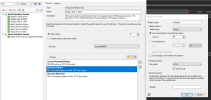
Hi @AhmedLS Thank you so much. I able to copy out the customize.wim image. But when i load the image from PXE my D drive missing. I checked my TS there is a Quick format in BIOS and UEFI. How can I make D drive stay because I have to put a few files in D by default?
1694151096900.png
 
Solution
Status
Not open for further replies.
Back
Top