Forums on Intune, SCCM, and Windows 11

Welcome to the forums. Register a free account today to become a member! Once signed in, you'll be able to participate on this site by adding your topics and posts, as well as connect with other members through your own private inbox!

SOLVED Move PXE boot from WDS to SCCM

Status
Not open for further replies.

PH25

Well-Known Member
Messages
62
Reaction score
1
Points
8
Hi,

We currently have a server which handles DHCP and WDS (lets say server A)

I've set up a new SCCM server (server B) and would like PXE boot request to be handled by the new SCCM server, whilst keeping DHCP on the old server (A). At the moment, DHCP points PXE requests to the same server (A).

Despite deselecting the option in WDS to use this server for PXE, im not sure what changes i have to make to make server A give a DHCP IP offer then send to server B for handling PXE boot.

I'm also unclear whether i need to use WDS at all on the new SCCM server, in conjunction with system center, or whether system center can handle PXE all by itself.

Sorry to unclear; i'm a newbie to SCCM.

Paul
 
When you enable the checkbox under the PXE tab to alllow PXE support for clients. The WDS is installed on the server. From then the PXE requests are handled by the SCCM server. You can configure DHCP to point to SCCM server for PXE.
 
I'm not sure how to point DHCP to SCCM. I've enabled the checkbox under the PXE tab, but DHCP still points to the old WDS server for PXE boot. If i disable WDS on the old server, the PC doesn't even get an IP offer from DHCP.

Ultimately, i want to point DHCP to the SCCM server for PXE, then once that works, i'd like to stop the WDS service on the old server and let that server just provide DHCP and nothing else.

Hope that makes sense?
 
Thanks for this help. Where does boot\x64\wdsnbp.com actually point to? is it not a different location because i'm using SCCM now? (e.g SMSBoot\x64\wdsnbp.com)

also, if I specify x64 in DHCP, what happens when an x86 machine wants to boot? (this probably won't be an issue as i think all of our PCs are now x64)
 
Hi, the DHCP option 67 should be set to "Option 67 = smsboot\x64\pxeboot.com" . Once you enable PXE feature, you will find the RemoteInstall folder on the DP. You should also locate the \RemoteInstall\ dir, and check for \SMSBoot\, if \SMSBoot\ is missing.
 
Ok, i'll give that a try. When i set this last time, i could not get an IP from DHCP after switching off the old WDS. Eventually i want to retire WDS on that server and just have it provide DHCP.

Does option 60 stay as 'PXEClient'?
 
i had set option 67 to smsboot\x64\wdsnbp.com rather than smsboot\x64\pxeboot.com What is the difference between the two?
 
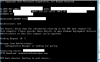
Here's what i'm seeing, but it's aborting straight away. Sorry about all of these messages! help is very much appreciated.

upload_2016-3-17_11-1-53.png
 
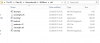
Can you check that "smsboot" exists under "RemoteInstall" dir ?. Can you also send a screenshot of folders present inside smsboot folder ?.
 
I think it is now PXE booting OK. But here is the screenshot anyway. Does that all look OK?

upload_2016-3-18_9-38-48.png
 
Not entirely. When i switch off WDS on the old server (the one with DHCP), this happens...(below)

When WDS on the old server was still enabled, i PXE booted fine and task sequence ran fine and installed. What could still be dependent on the old WDS server? I want to be able to remove WDS from that server and just have that server handle DHCP then point to SCCM for PXE.


upload_2016-3-18_10-57-49.png
 
I'm still unclear on the difference betweens setting option 67 to smsboot\x64\wdsnbp.com rather than smsboot\x64\pxeboot.com What is the difference between the two?

UPDATE -

I think the aportpxe could be due to the fact that i'm re-imaging a PC but have only advertised to 'unknown' PCs. Of course, this PC is no longer unknown anymore, so i need to advertise my task sequence to a collection.
 
Last edited:
A new issue is that it is only working when i deploy to a hyper-V virtual machine on the same VLAN as SCCM.

When specify a VLAN for that virtual machine, in Hyper-V settings, it gets to 'preparing network connections', then reboots. I tried on a physical PC on that subnet too and the same thing happens. do you know what might cause this? or which logs i can check?

A colleague thinks it may be to do with Network discovery not being enabled, but i don't think that is an issue. At the moment i only have AD discovery.
 
I'm very sorry to keep writing so much, but i feel quite close to solving this and any help is very welcome.

Please see my message above - that is still the situation, except i noticed that in DHCP, the setting OPTION 067 PXECLIENT no longer exists, since i switched off the WDS on the same box as DHCP (SERVER A)

How can i make it reappear by configuring the new WDS on the SCCM server (SERVER B)? Is there a setting on server B (sccm) that i need to change to tell DHCP on server A to reinstate Option 067? (i imagine it has disappeared since i unchecked the box on server A to say that this was also PXE server). Do i need to reinstall WDS on the new server to bring it back, or can i add it manually?

i don't mind adding option 067 if it is OK to do so, but i'd rather understand the problem at this early stage to fix it properly, even if it means disabling and re enabled WDS, PXE boot or reinstalling DP or something like that.
 
Status
Not open for further replies.

Forum statistics

Threads
7,135
Messages
27,868
Members
18,157
Latest member
rajkumarkrishnan
Back
Top