Welcome to the forums. Register a free account today to become a member! Once signed in, you'll be able to participate on this site by adding your topics and posts, as well as connect with other members through your own private inbox!
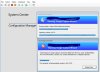
While doing capture image on Hyper-V VM of windows 1903. at the last movement i got an error called Image cap[ture wizard has failed with an error code - 0x8007000D.
Wim files also exported till 4GB and got auto removed after this error.
After you installed the ADK on the site server's OS, did you update the boot images on the distribution points ensuring ""Reload this boot image with the current Windows PE version from the Windows ADK" " was checked? Also if this isn't PXE you need to boot the TS using an updated boot image so if it's physical media from before you updated the ADK it'll cause problems. Usually tthis error is a result of a mismatch in the boot image assigned vs. the one actually used. Your wpeinit is clean and the smsts is still pointing to: [Unable to load volume image 2 (0x8007000D)]LOG]!><time="15:36:19.801+480"
I have not done a capture image as I typically build all of my images via task sequence, but I have seen this during OSD. This error would occur if I did not have both boot WIMs distributed out. Even though I was using x64, there is still a reliance on the x86.
After you installed the ADK on the site server's OS, did you update the boot images on the distribution points ensuring ""Reload this boot image with the current Windows PE version from the Windows ADK" " was checked? Also if this isn't PXE you need to boot the TS using an updated boot image so if it's physical media from before you updated the ADK it'll cause problems. Usually tthis error is a result of a mismatch in the boot image assigned vs. the one actually used. Your wpeinit is clean and the smsts is still pointing to: [Unable to load volume image 2 (0x8007000D)]LOG]!><time="15:36:19.801+480"