Forums on Intune, SCCM, and Windows 11

Welcome to the forums. Register a free account today to become a member! Once signed in, you'll be able to participate on this site by adding your topics and posts, as well as connect with other members through your own private inbox!

SOLVED Error with software updates 0x80240438

  • Thread starter Thread starter unityjon
  • Start date Start date
  • Replies Replies 17
  • Views Views 51K
Status
Not open for further replies.

unityjon

Member
Messages
17
Reaction score
1
Points
3
Hi all,

i have searched my error code 0x80240438 (-2145123272) in these forums and elsewhere and found this thread that is now closed https://forums.prajwaldesai.com/thr...ot-allowing-clients-to-download-updates.1250/

But this 'solution' applies to server 2016 and win10 v1607 I am experiencing this error on a variety of different builds inc 1706, 1511 and 1906 ! The updates that are failing are all microsoft office 32 bit (we are still using 32bit office on our 64bit machines :mad: and i cannot get clearance to update them).

Can anyone shed some plain English on the errror 0x80240438 (-2145123272) as its happening for lots (about 27 updates) on a whole host of machines in the domain.

Not sure what other information will be required, currently running SCCM config manager 1906 (5.00.8853.10000 with Client version 5.00.8853.1006 - although some clients have not updated to this version as yet!)

Would look at log files if i knew which ones to look at, there are so many !
 
Last edited:
I have done a lot of digging around and found some errors in WindowsUpdateLog

2019/10/08 09:00:19.5222730 11236 9480 WebServices Auto proxy settings for this web service call.
2019/10/08 09:00:19.6399999 11236 9480 WebServices WS error: There was an error communicating with the endpoint at 'http://REDACTED:8530/SimpleAuthWebService/SimpleAuth.asmx'.
2019/10/08 09:00:19.6400026 11236 9480 WebServices WS error: The server returned HTTP status code '407 (0x197)' with text 'authenticationrequired'.
2019/10/08 09:00:19.6400042 11236 9480 WebServices WS error: The proxy requires HTTP authentication scheme 'NTLM'.
2019/10/08 09:00:19.6402456 11236 9480 WebServices Auto proxy settings for this web service call.
2019/10/08 09:00:19.8919014 11236 9480 WebServices WS error: There was an error communicating with the endpoint at 'http://REDACTED:8530/SimpleAuthWebService/SimpleAuth.asmx'.
2019/10/08 09:00:19.8919069 11236 9480 WebServices WS error: The server returned HTTP status code '502 (0x1F6)' with text 'notresolvable'.
2019/10/08 09:00:19.8919103 11236 9480 WebServices WS error: The HTTP proxy was not able to reach the server.
2019/10/08 09:00:19.8920287 11236 9480 WebServices *FAILED* [80240438] Web service call
2019/10/08 09:00:19.8920317 11236 9480 WebServices Current service auth scheme=0.
2019/10/08 09:00:19.8920342 11236 9480 WebServices Current Proxy auth scheme=16.
2019/10/08 09:00:21.8930183 11236 9480 WebServices Auto proxy settings for this web service call.
2019/10/08 09:00:23.4692177 11236 9480 WebServices WS error: There was an error communicating with the endpoint at 'http://REDACTED:8530/SimpleAuthWebService/SimpleAuth.asmx'.
2019/10/08 09:00:23.4692241 11236 9480 WebServices WS error: The server returned HTTP status code '502 (0x1F6)' with text 'notresolvable'.
2019/10/08 09:00:23.4692278 11236 9480 WebServices WS error: The HTTP proxy was not able to reach the server.
2019/10/08 09:00:23.4693530 11236 9480 WebServices *FAILED* [80240438] Web service call
2019/10/08 09:00:23.4693563 11236 9480 WebServices Current service auth scheme=0.
2019/10/08 09:00:23.4693591 11236 9480 WebServices Current Proxy auth scheme=16.
2019/10/08 09:00:25.4701759 11236 9480 WebServices Auto proxy settings for this web service call.
2019/10/08 09:00:25.5154989 11236 9480 WebServices WS error: There was an error communicating with the endpoint at 'http://REDACTED:8530/SimpleAuthWebService/SimpleAuth.asmx'.
2019/10/08 09:00:25.5155044 11236 9480 WebServices WS error: The server returned HTTP status code '502 (0x1F6)' with text 'notresolvable'.
2019/10/08 09:00:25.5155079 11236 9480 WebServices WS error: The HTTP proxy was not able to reach the server.
2019/10/08 09:00:25.5156318 11236 9480 WebServices *FAILED* [80240438] Web service call
2019/10/08 09:00:25.5156349 11236 9480 WebServices Current service auth scheme=0.
2019/10/08 09:00:25.5156374 11236 9480 WebServices Current Proxy auth scheme=16.
2019/10/08 09:00:25.5156737 11236 9480 WebServices *FAILED* [80240438] Failed in NwsCallWithRetries( LGetAuthorizationCookie"
2019/10/08 09:00:25.5156890 11236 9480 ProtocolTalker *FAILED* [80240438] Method failed [CAuthorizationCookieWrapper::InitializeSimpleTargetingCookie:5840]
2019/10/08 09:00:25.5157102 11236 9480 IdleTimer WU operation (CAuthorizationCookieWrapper::InitializeSimpleTargetingCookie, operation # 19) stopped; does use network; is at background priority
2019/10/08 09:00:25.5161730 11236 9480 ProtocolTalker *FAILED* [80240438] Failed to initialize Simple Targeting Cookie
2019/10/08 09:00:25.5161840 11236 9480 ProtocolTalker *FAILED* [80240438] PopulateAuthCookies failed
2019/10/08 09:00:25.5161873 11236 9480 ProtocolTalker *FAILED* [80240438] RefreshCookie failed
2019/10/08 09:00:25.5162017 11236 9480 ProtocolTalker *FAILED* [80240438] RefreshPTState failed
2019/10/08 09:00:25.5162171 11236 9480 ProtocolTalker SyncUpdates round trips: 0
2019/10/08 09:00:25.5162205 11236 9480 ProtocolTalker *FAILED* [80240438] Sync of Updates
2019/10/08 09:00:25.5341253 11236 9480 ProtocolTalker *FAILED* [80240438] SyncServerUpdatesInternal failed
2019/10/08 09:00:25.5370413 11236 9480 Agent *FAILED* [80240438] Synchronize
2019/10/08 09:00:25.5728651 11236 9480 Agent * END * Finding updates CallerId = CcmExec, Id = 2, Exit code = 0x80240438 (cV = oCfx05vC0kGqY90Y.46.0.0.2)
2019/10/08 09:00:25.5753654 11236 9480 IdleTimer WU operation (CSearchCall::Init ID 2, operation # 18) stopped; does use network; is not at background priority
2019/10/08 09:00:25.5764461 9460 2176 ComApi *RESUMED* Search ClientId = CcmExec, ServiceId = 3DA21691-E39D-4DA6-8A4B-B43877BCB1B7 (cV = oCfx05vC0kGqY90Y.46.0.0)
2019/10/08 09:00:25.5794743 9460 2176 ComApi Exit code = 0x00000000, Result code = 0x80240438 (cV = oCfx05vC0kGqY90Y.46.0.0)
2019/10/08 09:00:25.5794820 9460 2176 ComApi * END * Search ClientId = CcmExec, Updates found = 0, ServiceId = 3DA21691-E39D-4DA6-8A4B-B43877BCB1B7 (cV = oCfx05vC0kGqY90Y.46.0.0)
2019/10/08 09:00:25.5797941 9460 13140 ComApi * END * All federated searches have completed. Jobs = 1, Succeeded = 0, ClientId = CcmExec (cV = oCfx05vC0kGqY90Y.46.1)


looks like the client (?) cannot connect to something called SimpleAuthWebService/SimpleAuth.asmx ? also looks like its using a proxy ! why would it do this, we dont use a proxy Perse (this will get confusing) we have a proxy for internet connections to all client machines but our sccm server has whitelisted SCCM websites and connects direct !
 
The client's attempting to connect to whichever server you setup WSUS on, if it's on a separate one dedicated to WSUS you have to ensure the proxy is bypassed for that one in addition to anything you have setup for CM.
 
check your server software update point role. did you specify a proxy settings in there?
1570743511743.png
 
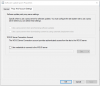
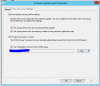
Our whole SCCM / WSUS installation is on the same box The Box IP has been white listed along with the microsoft urls for WSUS to allow access through the firewall, the Software Update Point settings are as shown:
setting.PNG
 
how will it download updates if i'm not using the proxy ? I'm happy to try though

edit: no difference.

setting.PNG
 
Last edited:
Just to back up for a second, I believe you said everything else SCCM related with the affected clients works fine, it's just a particular set of deployed updates?
 
i dont use proxy server in my environment. therefore the box is unticked. do you have a proxy server?
 
2019/10/08 09:00:19.8919103 11236 9480 WebServices WS error: The HTTP proxy was not able to reach the server.
 
Just to back up for a second, I believe you said everything else SCCM related with the affected clients works fine, it's just a particular set of deployed updates?


Yes that is right, just specfic updates, but there is quite a lot (about 30) of them pretty much all relating to MS Office (32 bit) - We have to use 32bit office on our 64bit machines.
 
i dont use proxy server in my environment. therefore the box is unticked. do you have a proxy server?


we have a proxy server to access the internet, we also have a whitelist for Microsoft WSUS urls applied to the SCCM / WSUS server allowing connectivity all connectivity is through a gateway.
 
Yes that is right, just specfic updates, but there is quite a lot (about 30) of them pretty much all relating to MS Office (32 bit) - We have to use 32bit office on our 64bit machines.

If nothing else is broken to include other update deployments it has to be something specific to the way these are configured or being deployed. Maybe there's a funky EULA that has to be accepted and it's trying to reach out to MS or something, I believe that's handled on the server at Update Sync time though.
 
we have a proxy server to access the internet, we also have a whitelist for Microsoft WSUS urls applied to the SCCM / WSUS server allowing connectivity all connectivity is through a gateway.
yes, but is the proxy in between your SCCM and WSUS???
 
yes, but is the proxy in between your SCCM and WSUS???
good question! they're installed on the same box, the IP address is white listed to be allowed to connect to wsus urls without using the proxy, however any browser activity is via the proxy.
 
Hi guys,

I have the same issue, the workstations do not update and show the same error 0x80240438.
sccm download updates, but workstations cannot find sccm to receive updates.
Hi Paulo,
This was some time ago but I got around this specific error by removing all the of the office updates, removed MS Office from my products, then installed any missing critical and security updates then went back and reinstated Office updates and then only installed one at a time, it took a while but seemed to work ok, some of the security updates kept changing the machine behaviour by introducing safe search and turning off network discovery so I had a GPO that run against all the machines to correct these by turning safe search off and network discovery on ! hope this helps.
 
Hi Paulo,
This was some time ago but I got around this specific error by removing all the of the office updates, removed MS Office from my products, then installed any missing critical and security updates then went back and reinstated Office updates and then only installed one at a time, it took a while but seemed to work ok, some of the security updates kept changing the machine behaviour by introducing safe search and turning off network discovery so I had a GPO that run against all the machines to correct these by turning safe search off and network discovery on ! hope this helps.
I solved the issue by changing the proxy configuration in sccm. had tried before and it hadn't worked.
 
Status
Not open for further replies.

Forum statistics

Threads
7,185
Messages
28,035
Members
18,323
Latest member
daxxi
Back
Top