Strahinja JANACEK
Active Member
- Messages
- 40
- Solutions
- 5
- Reaction score
- 0
- Points
- 6
Hello!
On our new SCCM server I have re-deployed a package which is running a script and should add an user into the local "Administrators" (Computer Management -> Local Users and Groups -> Groups -> Administrators) group within the computer. This was working before on the old SCCM server.
The package is getting distributed to all distribution points. There is no error.
When I check within Monitoring -> Deployments the status of the deployed package it says that it was successfull for the computer, but when I check it manually on the laptop, the user was not added into the "Administrators" group.
Then I have checked the "execmgr" log on the laptop and it's writing:
"The program "Local Administrator Austria" will not run because it has been run befoe and i succeeded and policy indicates it should rerun only it it has previously failed"
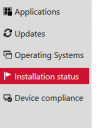
Then when I open Software Center on the device it even does not show it within "Applications" or within "Installation Status".
But it was always shown in the software center before we switched to the new SCCM server. Other deployments are working fine and without problems.
Best regards,
Strahinja
On our new SCCM server I have re-deployed a package which is running a script and should add an user into the local "Administrators" (Computer Management -> Local Users and Groups -> Groups -> Administrators) group within the computer. This was working before on the old SCCM server.
The package is getting distributed to all distribution points. There is no error.
When I check within Monitoring -> Deployments the status of the deployed package it says that it was successfull for the computer, but when I check it manually on the laptop, the user was not added into the "Administrators" group.
Then I have checked the "execmgr" log on the laptop and it's writing:
"The program "Local Administrator Austria" will not run because it has been run befoe and i succeeded and policy indicates it should rerun only it it has previously failed"
Then when I open Software Center on the device it even does not show it within "Applications" or within "Installation Status".
But it was always shown in the software center before we switched to the new SCCM server. Other deployments are working fine and without problems.
Best regards,
Strahinja