Forums on Intune, SCCM, and Windows 11

Welcome to the forums. Register a free account today to become a member! Once signed in, you'll be able to participate on this site by adding your topics and posts, as well as connect with other members through your own private inbox!

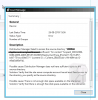
PENDING Content Distribution Error:- Distribution Manager failed to process package

Rkadam

Member
Messages
5
Reaction score
0
Points
1
Hi,

I have been getting this error for all the distributions I have been trying to do.
Suggested Solution reads as: Distribution Manager does not have access to either the package source directory or the distribution point.

I have made sure the source directory is accessible and the account has full access rights. To eliminate other temporary glitches I have tried a reinstall of DP role and restart of the SCCM services. Also, have verified that there is sufficient space in the drive.

One more problem is that I cannot find Distmgr.log file anywhere on my server. It is not there in the installation directory/Logs location nor at any other place on the server.

Kindly suggest as to what else could be causing this issue.

Regards,
 

Attachments
  • 2019-08-26 15_49_34-Remote Desktop Organizer.png
    2019-08-26 15_49_34-Remote Desktop Organizer.png
    40.7 KB · Views: 59
Last edited:
One more problem is that I cannot find Distmgr.log file anywhere on my server - Have you checked the log file on your site server in the following location ?. - C:\Program Files\Microsoft Configuration Manager\Logs (assuming C: drive is where SCCM is installed).
 
Hi,

I have been getting this error for all the distributions I have been trying to do.
Suggested Solution reads as: Distribution Manager does not have access to either the package source directory or the distribution point.

I have made sure the source directory is accessible and the account has full access rights. To eliminate other temporary glitches I have tried a reinstall of DP role and restart of the SCCM services. Also, have verified that there is sufficient space in the drive.

One more problem is that I cannot find Distmgr.log file anywhere on my server. It is not there in the installation directory/Logs location nor at any other place on the server.

Kindly suggest as to what else could be causing this issue.

Regards,
One more problem is that I cannot find Distmgr.log file anywhere on my server - Have you checked the log file on your site server in the following location ?. - C:\Program Files\Microsoft Configuration Manager\Logs (assuming C: drive is where SCCM is installed).


Hi Prajwal,

Thank you! for the reply, perhaps i was looking at a different location, ya found the Log file, and here is what it says,

2019-08-27 12_05_14-Remote Desktop Organizer.png
 
Hi Prajwal,

Would really appreciate any help on this,

One more thing I forgot to mention was that the normal .msi packages are getting distributed now, this problem I am facing is only with the .exe packages.

Attaching Distmgr.log snapshot
 

Attachments

  • distmgr.png
    distmgr.png
    51.2 KB · Views: 15
Hi Prajwal,

I have been getting error "Distribution Manager failed to connect to the distribution point ["DISPLAY=\\JTSDHR1SCM.JTEKTINDIA.INT\"]MSWNET:["SMS_SITE=SC1"]\\JTSDHR1SCM.JTEKTINDIA.INT\. Check your network and firewall settings." on one DP in sccm

Regards
Abhishek

,
 

Forum statistics

Threads
7,168
Messages
27,979
Members
18,280
Latest member
regbnn

Trending content

Back
Top