Forums on Intune, SCCM, and Windows 11

Welcome to the forums. Register a free account today to become a member! Once signed in, you'll be able to participate on this site by adding your topics and posts, as well as connect with other members through your own private inbox!

SOLVED [ConfigMgr Package] PSExec in a Package

  • Thread starter Thread starter AaronZ
  • Start date Start date
  • Replies Replies 6
  • Views Views 2K
Status
Not open for further replies.

AaronZ

Active Member
Messages
35
Solutions
2
Reaction score
7
Points
8
I am working on resolving close to 120 computers that have not been properly onboarded to our Microsoft Defender platform. Per Microsoft Support, I was told to run the following command to fix it.

PsExec.exe -s cmd.exe
cd "C:\ProgramData\Microsoft\Windows Defender Advanced Threat Protection\Cyber"
del *.* /f /s /q
REG DELETE "HKLM\SOFTWARE\Microsoft\Windows Advanced Threat Protection" /v senseGuid /f
REG DELETE "HKLM\SOFTWARE\Microsoft\Windows Advanced Threat Protection" /v 7DC0B629-D7F6-4DB3-9BF7-64D5AAF50F1A /f
REG DELETE "HKLM\SOFTWARE\Microsoft\Windows Advanced Threat Protection\48A68F11-7A16-4180-B32C-7F974C7BD783" /v 7DC0B629-D7F6-4DB3-9BF7-64D5AAF50F1A /f
exit

I put the above code into a PowerShell file, created a package to run powershell.exe with execution policy set to bypass and the file name. This did not work. I now have the PSExec.exe "app" in the package source folders with the PowerShell file.

My question is this: How do I get PSExec to run with the script in the package?
 
Solution
I am marking this Solved since my script is not working due to an unstoppable service that is preventing this from doing its job. The script runs but cannot access the resources in the script due to the service.
I am working on resolving close to 120 computers that have not been properly onboarded to our Microsoft Defender platform. Per Microsoft Support, I was told to run the following command to fix it.

PsExec.exe -s cmd.exe
cd "C:\ProgramData\Microsoft\Windows Defender Advanced Threat Protection\Cyber"
del *.* /f /s /q
REG DELETE "HKLM\SOFTWARE\Microsoft\Windows Advanced Threat Protection" /v senseGuid /f
REG DELETE "HKLM\SOFTWARE\Microsoft\Windows Advanced Threat Protection" /v 7DC0B629-D7F6-4DB3-9BF7-64D5AAF50F1A /f
REG DELETE "HKLM\SOFTWARE\Microsoft\Windows Advanced Threat Protection\48A68F11-7A16-4180-B32C-7F974C7BD783" /v 7DC0B629-D7F6-4DB3-9BF7-64D5AAF50F1A /f
exit

I put the above code into a PowerShell file, created a package to run powershell.exe with execution policy set to bypass and the file name. This did not work. I now have the PSExec.exe "app" in the package source folders with the PowerShell file.

My question is this: How do I get PSExec to run with the script in the package?
Hey mate,

Complete noob here, but what I would be doing is converting the code to Powershell and excluding CMD and PSExec commands.

Make a fresh script using commands such as:
Remove-item "PathGoesHere" -force -recurse
Remove-ItemProperty -Path "HKLM:\PathAlsoGoesHere" -Name "KeyName"

Update all fields in quotes.
That would be a lot cleaner, cut out the "middle man" and should be quite easy to put together.
Just exercise caution when deleting files/registries, of course. :)

Hope this helps!
 
Hey mate,

Complete noob here, but what I would be doing is converting the code to Powershell and excluding CMD and PSExec commands.

Make a fresh script using commands such as:
Remove-item "PathGoesHere" -force -recurse
Remove-ItemProperty -Path "HKLM:\PathAlsoGoesHere" -Name "KeyName"

Update all fields in quotes.
That would be a lot cleaner, cut out the "middle man" and should be quite easy to put together.
Just exercise caution when deleting files/registries, of course. :)

Hope this helps!
Thank you for the thought. I tried that. Here is my code:

#ATP Onboarding Fix
#Variables
$path= "C:\ProgramData\Microsoft\Windows Defender Advanced Threat Protection\Cyber"
$regkeypath= "HKLM:\SOFTWARE\Microsoft\Windows Advanced Threat Protection"
#Delete Cyber folder
Remove-Item -Path $path -Recurse -Force
#Delete Registry Values
Remove-ItemProperty -Path $regkeypath -Name "senseGUID" -Force
Remove-ItemProperty -Path $regkeypath -Name "7DC0B629-D7F6-4DB3-9BF7-64D5AAF50F1A" -Force
Remove-ItemProperty -Path $regkeypath + "\48A68F11-7A16-4180-B32C-7F974C7BD783" -Name "7DC0B629-D7F6-4DB3-9BF7-64D5AAF50F1A" -Force

However, this does not work because it requires the script to run as the System Account or Trusted User because it is not deleting anything. Thus, the desire to get this to run with PSExec.

If anyone can help me improve my script or how to run it as a System account, I would appreciate it.
 
I am working on resolving close to 120 computers that have not been properly onboarded to our Microsoft Defender platform. Per Microsoft Support, I was told to run the following command to fix it.

PsExec.exe -s cmd.exe
cd "C:\ProgramData\Microsoft\Windows Defender Advanced Threat Protection\Cyber"
del *.* /f /s /q
REG DELETE "HKLM\SOFTWARE\Microsoft\Windows Advanced Threat Protection" /v senseGuid /f
REG DELETE "HKLM\SOFTWARE\Microsoft\Windows Advanced Threat Protection" /v 7DC0B629-D7F6-4DB3-9BF7-64D5AAF50F1A /f
REG DELETE "HKLM\SOFTWARE\Microsoft\Windows Advanced Threat Protection\48A68F11-7A16-4180-B32C-7F974C7BD783" /v 7DC0B629-D7F6-4DB3-9BF7-64D5AAF50F1A /f
exit

I put the above code into a PowerShell file, created a package to run powershell.exe with execution policy set to bypass and the file name. This did not work. I now have the PSExec.exe "app" in the package source folders with the PowerShell file.

My question is this: How do I get PSExec to run with the script in the package?
If you are deploying this with ConfigMgr, then there is no need for PSexec. However you do need to watch out for scripts running in X86 mode vs x64.
 
If you are deploying this with ConfigMgr, then there is no need for PSexec. However you do need to watch out for scripts running in X86 mode vs x64.
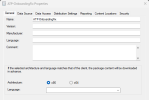
I checked the package, and it is set to x86.
 

Attachments

  • Microsoft.ConfigurationManagement_uCeKv1fnd4.png
    Microsoft.ConfigurationManagement_uCeKv1fnd4.png
    12.9 KB · Views: 4
I checked the package, and it is set to x86.
That is for TS, has nothing to do with package/program deployments.

If I'm not mistaken the reg key are x64 and not x86 keys. as such you will need to adjust the script. Personally I would also add logging to know what has or has not be found and changed. That will add a lot of extra lines to the script but well worth the trouble if/when there is a problem.
 
I am marking this Solved since my script is not working due to an unstoppable service that is preventing this from doing its job. The script runs but cannot access the resources in the script due to the service.
 
Solution
Status
Not open for further replies.
Back
Top