Forums on Intune, SCCM, and Windows 11

Welcome to the forums. Register a free account today to become a member! Once signed in, you'll be able to participate on this site by adding your topics and posts, as well as connect with other members through your own private inbox!

PENDING Clients disappear in SCCM altough Maintenance is disabled

  • Thread starter Thread starter khluz
  • Start date Start date
  • Replies Replies 5
  • Views Views 1K

khluz

Member
Messages
12
Solutions
2
Reaction score
2
Points
3
We have the issue, that clients disappear, when they are longer than a unknown amount of time off the internal network. (I guess its about 270 days, which was the time in "Delete Inactive Client Discovery Data" we disabled). We realised it with the bigger amount of homeoffice within the last years.
We disabled the obvious maintenance tasks, we do not discover Active Directory (because it is inappropriate).
Our workflow is different: all devices are setup by SCCM and during setup they get the agent installed. No discovery, no push installation.

Is there a maintenance task we did not see? Is there an automatism, that is not in the maintenance tasks, we do not see? Is there a log file, where we can see, when and why a device is deleted in SCCM? Are there any registry entries on the SCCM Server, we might check? Any othter ideas?

Thanks a lot for any help.

KHLuz

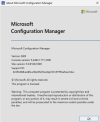
We are at the current branch latest version 2403.
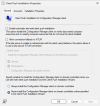
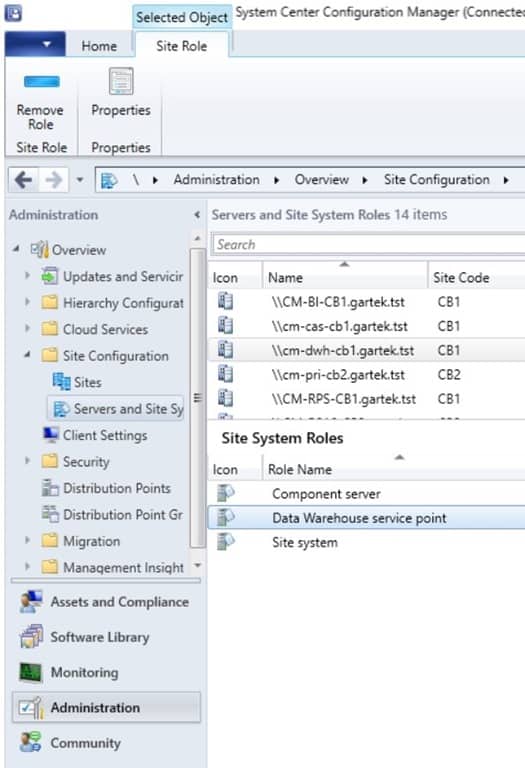
I added some screenshots of our configuration and the disabled maintenance tasks.
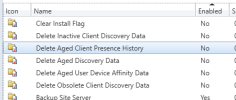
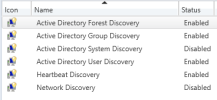
Screenshot 2024-10-29 091008.pngScreenshot 2024-10-29 091036.png

Screenshot 2024-10-29 091101.pngScreenshot 2024-10-29 091537.png
 
show us what is still enabled for maintenance task. Why don't you use ad system discovery?
 
show us what is still enabled for maintenance task. Why don't you use ad system discovery?
All other maintenance tasks are enabled. AD system discovery is not the point and not the issue. Clients (devices) are deleted in SCCM and I don't know why and what it does! I want do keep the clients even if they are long time not seen (1 year or more).
We normaly delete the clients (devices) in SCCM by powershell in a external workflow by the end of the livecycle of the device.
 
All other maintenance tasks are enabled. AD system discovery is not the point and not the issue. Clients (devices) are deleted in SCCM and I don't know why and what it does! I want do keep the clients even if they are long time not seen (1 year or more).
We normaly delete the clients (devices) in SCCM by powershell in a external workflow by the end of the livecycle of the device.
So AD Discovery will keep machine in ConfigMgr as long as their are active in AD. e.g. their password have been updated in the last 30 days, etc.. So AD Discovery will help for sure with devices becoming stall. You problem is likely due the HW inv not being update in (default) 90 days and therefore device and inventory get removed.

ConfigMgr itself is not a data warehouse. As such you should look at setting up ConfigMgr Data warehouse feature to store device details for 3 years.
 
therefore device and inventory get removed
Again my original question: Is there a log, where I can see, who or what deletes my devices from the database.
I don't think, that the Maintenance Task "Delete Aged Inventory History" deletes also the device. I guess it only deletes inventory history data older than the given amount of days, but I don't know. => Does anybody know?
Can anybody confirm my guess? How knows what this maintenance task really does. No guesses and no likely and no other advises please. Just facts.
 
Again my original question: Is there a log, where I can see, who or what deletes my devices from the database.
I don't think, that the Maintenance Task "Delete Aged Inventory History" deletes also the device. I guess it only deletes inventory history data older than the given amount of days, but I don't know. => Does anybody know?
Can anybody confirm my guess? How knows what this maintenance task really does. No guesses and no likely and no other advises please. Just facts.
Maintenance task do not show what is deleted.
 
Back
Top