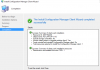
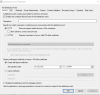
This is the most recent update on the log. The long is very long. Let me know if I should snip a different part.Check ccmsetup.log file on your client for more details and share it with us.
You can find the file in "C:\Windows\ccmsetup\Logs".
Please pardon my lack of experience I just started using SCCM about a few months ago.
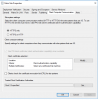
HTTP is not available on most of these roles, it is grayed out on all of them with HTTPS as only choice.Go to Administration - Servers and and Site System Roles and highlight your site server first and at the bottom you see all the site system roles. You should right click them and then properties and see if you selected HTTPS. If your not using that then select HTTP and see if that corrects your problem.

How would I go about fixing this?lets go back a little. You set to communicate over HTTPS with PKI cert. If you dont have the cert on the client machine obviously it wont be able to establish the connection. The fact that you use Self Signed Cert, how the client is able to get the cert if it cant even establish a connection to the MP or DP to get the cert. Another thing you have to check is the IIS setting on your MP and make sure your SSL setting is set up correctly. I tried to set up PKI on my secondary MP and it failed miserably. I had to remove the MP from the environment so clients can connect back to the HTTP MP and since then i havent progressed further.