Forums on Intune, SCCM, and Windows 11

Welcome to the forums. Register a free account today to become a member! Once signed in, you'll be able to participate on this site by adding your topics and posts, as well as connect with other members through your own private inbox!

PENDING CCMsetup is not working on client machine

  • Thread starter Thread starter base
  • Start date Start date
  • Replies Replies 14
  • Views Views 7K

base

Well-Known Member
Messages
63
Reaction score
0
Points
6
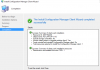
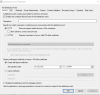
I have setup configuration manager to be deployed to client machines. However, when I try to push it to a client it starts then stops somewhere. How do I fix this issue?
1525355619473.png

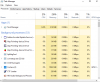
on the client machine

1525355661993.png
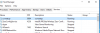
1525355690776.png

after 10 minutes
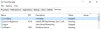
1525356234164.png
 
Check ccmsetup.log file on your client for more details and share it with us.

You can find the file in "C:\Windows\ccmsetup\Logs".
 
Check ccmsetup.log file on your client for more details and share it with us.

You can find the file in "C:\Windows\ccmsetup\Logs".
This is the most recent update on the log. The long is very long. Let me know if I should snip a different part.

"</ContentLocationRequest>
']LOG]!><time="10:14:23.142+240" date="05-03-2018" component="ccmsetup" context="" type="0" thread="6596" file="siteinfo.cpp:104">
<![LOG[Sending message header '<Msg SchemaVersion="1.1"><ID>{8D276EE3-673E-4E33-8608-6B2615D393D9}</ID><SourceID></SourceID><SourceHost>RO-LAPTOP-1115</SourceHost><TargetAddress>mp:[http]MP_LocationManager</TargetAddress><ReplyTo>direct:RO-LAPTOP-1115:LS_ReplyLocations</ReplyTo><Priority>3</Priority><Timeout>600</Timeout><ReqVersion>5931</ReqVersion><TargetHost>HTTPS://RO-WINSVR-02.IDC-S2.local</TargetHost><TargetEndpoint>MP_LocationManager</TargetEndpoint><ReplyMode>Sync</ReplyMode><Protocol>http</Protocol><SentTime>2018-05-03T14:14:23Z</SentTime><Body Type="ByteRange" Offset="0" Length="1158"/><Hooks><Hook3 Name="zlib-compress"/></Hooks><Payload Type="inline"/></Msg>']LOG]!><time="10:14:23.142+240" date="05-03-2018" component="ccmsetup" context="" type="0" thread="6596" file="siteinfo.cpp:193">
<![LOG[MapNLMCostDataToCCMCost() returning Cost 0x1]LOG]!><time="10:14:23.142+240" date="05-03-2018" component="ccmsetup" context="" type="1" thread="6596" file="ccmutillib.cpp:5906">
<![LOG[CCM_POST 'HTTPS://RO-WINSVR-02.IDC-S2.local/ccm_system/request']LOG]!><time="10:14:23.142+240" date="05-03-2018" component="ccmsetup" context="" type="1" thread="6596" file="httphelper.cpp:807">
<![LOG[[CCMSETUP] AsyncCallback(): -----------------------------------------------------------------]LOG]!><time="10:14:23.173+240" date="05-03-2018" component="ccmsetup" context="" type="3" thread="6596" file="httphelper.cpp:699">
<![LOG[[CCMSETUP] AsyncCallback(): WINHTTP_CALLBACK_STATUS_SECURE_FAILURE Encountered]LOG]!><time="10:14:23.173+240" date="05-03-2018" component="ccmsetup" context="" type="3" thread="6596" file="httphelper.cpp:700">
<![LOG[[CCMSETUP] : dwStatusInformationLength is 4
]LOG]!><time="10:14:23.173+240" date="05-03-2018" component="ccmsetup" context="" type="3" thread="6596" file="httphelper.cpp:701">
<![LOG[[CCMSETUP] : *lpvStatusInformation is 0x8
]LOG]!><time="10:14:23.173+240" date="05-03-2018" component="ccmsetup" context="" type="3" thread="6596" file="httphelper.cpp:702">
<![LOG[[CCMSETUP] : WINHTTP_CALLBACK_STATUS_FLAG_INVALID_CA is set
]LOG]!><time="10:14:23.173+240" date="05-03-2018" component="ccmsetup" context="" type="3" thread="6596" file="httphelper.cpp:718">
<![LOG[[CCMSETUP] AsyncCallback(): -----------------------------------------------------------------]LOG]!><time="10:14:23.173+240" date="05-03-2018" component="ccmsetup" context="" type="3" thread="6596" file="httphelper.cpp:732">
<![LOG[Failed to send HTTPS request. (Error at WinHttpSendRequest: 0x80072f8f)]LOG]!><time="10:14:23.173+240" date="05-03-2018" component="ccmsetup" context="" type="2" thread="6596" file="httphelper.cpp:1251">
<![LOG[WinHttpRequestReponse failed with a non-recoverable failure, 0x80072f8f]LOG]!><time="10:14:23.173+240" date="05-03-2018" component="ccmsetup" context="" type="3" thread="6596" file="httphelper.cpp:1297">
<![LOG[GetDPLocations failed with error 0x80072f8f]LOG]!><time="10:14:23.173+240" date="05-03-2018" component="ccmsetup" context="" type="3" thread="6596" file="siteinfo.cpp:596">
<![LOG[Failed to get DP locations as the expected version from MP 'HTTPS://RO-WINSVR-02.IDC-S2.local'. Error 0x80072f8f]LOG]!><time="10:14:23.173+240" date="05-03-2018" component="ccmsetup" context="" type="2" thread="6596" file="ccmsetup.cpp:11191">
<![LOG[Failed to get client version for sending state messages. Error 0x8004100e]LOG]!><time="10:14:23.173+240" date="05-03-2018" component="ccmsetup" context="" type="2" thread="6596" file="state.cpp:164">
<![LOG[[] Params to send '5.0.8498.1711 Deployment Error: 0x0, ']LOG]!><time="10:14:23.173+240" date="05-03-2018" component="ccmsetup" context="" type="0" thread="6596" file="state.cpp:209">
<![LOG[A Fallback Status Point has not been specified and no client was installed. Message with STATEID='101' will not be sent.]LOG]!><time="10:14:23.173+240" date="05-03-2018" component="ccmsetup" context="" type="1" thread="6596" file="state.cpp:240">
<![LOG[Failed to send status 101. Error (87D00215)]LOG]!><time="10:14:23.173+240" date="05-03-2018" component="ccmsetup" context="" type="3" thread="6596" file="state.cpp:253">
<![LOG[Next retry in 10 minute(s)...]LOG]!><time="10:14:23.173+240" date="05-03-2018" component="ccmsetup" context="" type="0" thread="6596" file="ccmsetup.cpp:8997">"
 
are you using PKI and on iis settings of your mp you have uploaded your certificates?
 
Go to Administration - Servers and and Site System Roles and highlight your site server first and at the bottom you see all the site system roles. You should right click them and then properties and see if you selected HTTPS. If your not using that then select HTTP and see if that corrects your problem.
 
Go to Administration - Servers and and Site System Roles and highlight your site server first and at the bottom you see all the site system roles. You should right click them and then properties and see if you selected HTTPS. If your not using that then select HTTP and see if that corrects your problem.
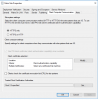
HTTP is not available on most of these roles, it is grayed out on all of them with HTTPS as only choice.
1526390207252.png
 
go to Administration - Sites - Right click Properties - check if it HTTPS only or HTTPS or HTTP
 
your DP is set to HTTP and your main site is HTTPS. Change it to HTTPS and HTTP.
 
lets go back a little. You set to communicate over HTTPS with PKI cert. If you dont have the cert on the client machine obviously it wont be able to establish the connection. The fact that you use Self Signed Cert, how the client is able to get the cert if it cant even establish a connection to the MP or DP to get the cert. Another thing you have to check is the IIS setting on your MP and make sure your SSL setting is set up correctly. I tried to set up PKI on my secondary MP and it failed miserably. I had to remove the MP from the environment so clients can connect back to the HTTP MP and since then i havent progressed further.
 
lets go back a little. You set to communicate over HTTPS with PKI cert. If you dont have the cert on the client machine obviously it wont be able to establish the connection. The fact that you use Self Signed Cert, how the client is able to get the cert if it cant even establish a connection to the MP or DP to get the cert. Another thing you have to check is the IIS setting on your MP and make sure your SSL setting is set up correctly. I tried to set up PKI on my secondary MP and it failed miserably. I had to remove the MP from the environment so clients can connect back to the HTTP MP and since then i havent progressed further.
How would I go about fixing this?
 

Forum statistics

Threads
7,145
Messages
27,900
Members
18,199
Latest member
yashd

Trending content

Back
Top