Forums on Intune, SCCM, and Windows 11

Welcome to the forums. Register a free account today to become a member! Once signed in, you'll be able to participate on this site by adding your topics and posts, as well as connect with other members through your own private inbox!

PENDING ccmsetup failed with error code 0x800713ec

PH25

Well-Known Member
Messages
62
Reaction score
1
Points
8
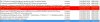
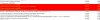
I recently upgraded from R2 to 1511 and set the hierachy settings to auto update clients. This worked on a couple of test machines but failed on two others. The scheduled task appears after a policy retreival but when it runs it fails with the errors below.

Can anyone help? i'm new to SCCM and struggling with this one. It seems to be failing with pre reqs (.NET i think).

Thanks.1.jpg 2.jpg
 
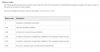
Yes you are correct, the installation of dotnet framework is failing with Error code 1500. Looking at the KB number its Microsoft .NET Framework 4.5.2. If you look for Return Code 5100, you will see that 5100 = The user's computer does not meet system requirements. May I know what is the client OS ?.

https://msdn.microsoft.com/en-us/library/ee390831(v=vs.110).aspx
upload_2016-4-4_13-45-51.png
 
You also need to check C:\Windows\Temp\dd_NDP452-KB2901907-x86-x64-AllOS-ENU_decompression_log.txt for any other errors.
 
Thanks for this. They are both running Windows 8.1 and should be sufficient spec. On one of them i don't see that log. However, on the other, i see this -


[4/1/2016, 17:4:36] === Logging started: 2016/04/01 17:04:36 ===
[4/1/2016, 17:4:36] Executable: C:\Windows\ccmsetup\NDP452-KB2901907-x86-x64-AllOS-ENU.exe v4.5.51209.34209
[4/1/2016, 17:4:36] --- logging level: standard ---
[4/1/2016, 17:4:36] Successfully bound to the ClusApi.dll
[4/1/2016, 17:4:36] Error 0x80070424: Failed to open the current cluster
[4/1/2016, 17:4:36] Cluster drive map: ''
[4/1/2016, 17:4:36] Considering drive: 'C:\'...
[4/1/2016, 17:4:36] Considering drive: 'D:\'...
[4/1/2016, 17:4:36] Drive 'D:\' is rejected because of the unknown or unsuitable drive type
[4/1/2016, 17:4:36] Drive 'C:\' has been selected as the largest fixed drive
[4/1/2016, 17:4:36] Directory 'C:\3cb7b0a25e06b4f5a2432bb857\' has been selected for file extraction
[4/1/2016, 17:4:36] Extracting files to: C:\3cb7b0a25e06b4f5a2432bb857\
[4/1/2016, 17:5:8] Extraction took 32.74 seconds
[4/1/2016, 17:5:8] Executing command line: 'C:\3cb7b0a25e06b4f5a2432bb857\\Setup.exe /q /norestart /log C:\Windows\ccmsetup\logs\dotNetFx452_Setup.log /x86 /x64 /redist'
[4/1/2016, 17:5:24] Exiting with result code: 0x0
[4/1/2016, 17:5:24] === Logging stopped: 2016/04/01 17:05:24 ===
 
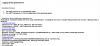
I don't understand these log entries. Setup is not running in compatibility mode and the OS is Windows 7 in this case, so should be fine.

upload_2016-4-5_12-14-29.png
 

Attachments

  • upload_2016-4-5_12-14-6.png
    upload_2016-4-5_12-14-6.png
    50 KB · Views: 10
Hi,

As per installation blockers entries, i recomand that, can you upgrade .Net framework package to latest version and then run the setup file. It should work.

Please update us once follow the steps
 

Forum statistics

Threads
7,135
Messages
27,868
Members
18,157
Latest member
rajkumarkrishnan
Back
Top