
Hi All,
I have recently deployed SCCM server 1702 to our environment and everything seems to be perfect except the belowm issue:
Asset Intelligence Synchronization Point Status: Online Service Account is not Provisionned
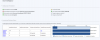
I have read and tried multiples fixes such as importing a new license, checking my sql setting, uninstalling and reinstalling the Asset intelligence role. but nothing seems to be working. I even set the Sync Schedule to occur everyday hopefully it will fix it but still the same.
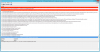
I look at the AIUpdateSvc log is as below:
Asset Intelligence Catalog Sync Service Error: 0 : Fri, 12 May 2017 17:21:58 GMT:Exception attempting sync - A network-related or instance-specific error occurred while establishing a connection to SQL Server. The server was not found or was not accessible. Verify that the instance name is correct and that SQL Server is configured to allow remote connections. (provider: TCP Provider, error: 0 - The remote computer refused the network connection.)
Microsoft.AssetIntelligence.CatalogSyncException: A network-related or instance-specific error occurred while establishing a connection to SQL Server. The server was not found or was not accessible. Verify that the instance name is correct and that SQL Server is configured to allow remote connections. (provider: TCP Provider, error: 0 - The remote computer refused the network connection.) ---> System.Data.SqlClient.SqlException: A network-related or instance-specific error occurred while establishing a connection to SQL Server. The server was not found or was not accessible. Verify that the instance name is correct and that SQL Server is configured to allow remote connections. (provider: TCP Provider, error: 0 - The remote computer refused the network connection.) ---> System.ComponentModel.Win32Exception: The remote computer refused the network connection
Any help will be truly appreciated.
Thank you.
I have recently deployed SCCM server 1702 to our environment and everything seems to be perfect except the belowm issue:
Asset Intelligence Synchronization Point Status: Online Service Account is not Provisionned
I have read and tried multiples fixes such as importing a new license, checking my sql setting, uninstalling and reinstalling the Asset intelligence role. but nothing seems to be working. I even set the Sync Schedule to occur everyday hopefully it will fix it but still the same.
I look at the AIUpdateSvc log is as below:
Asset Intelligence Catalog Sync Service Error: 0 : Fri, 12 May 2017 17:21:58 GMT:Exception attempting sync - A network-related or instance-specific error occurred while establishing a connection to SQL Server. The server was not found or was not accessible. Verify that the instance name is correct and that SQL Server is configured to allow remote connections. (provider: TCP Provider, error: 0 - The remote computer refused the network connection.)
Microsoft.AssetIntelligence.CatalogSyncException: A network-related or instance-specific error occurred while establishing a connection to SQL Server. The server was not found or was not accessible. Verify that the instance name is correct and that SQL Server is configured to allow remote connections. (provider: TCP Provider, error: 0 - The remote computer refused the network connection.) ---> System.Data.SqlClient.SqlException: A network-related or instance-specific error occurred while establishing a connection to SQL Server. The server was not found or was not accessible. Verify that the instance name is correct and that SQL Server is configured to allow remote connections. (provider: TCP Provider, error: 0 - The remote computer refused the network connection.) ---> System.ComponentModel.Win32Exception: The remote computer refused the network connection
Any help will be truly appreciated.
Thank you.
