Forums on Intune, SCCM, and Windows 11

Welcome to the forums. Register a free account today to become a member! Once signed in, you'll be able to participate on this site by adding your topics and posts, as well as connect with other members through your own private inbox!

PENDING Adding machines into AD group during OSD TS deployment

formolim

Member
Messages
20
Reaction score
1
Points
3
Hi Guys,
I am trying to add machines into AD group while OSD deployment and for some reason it doesn't add them to the group.
i am running this step with an account that has access, it doesn't throw any errors but as i mentioned it doesn't add them into the group.
Please let me know what i am doing wrong.

here is the script...
$DomainName = (Get-WmiObject Win32_ComputerSystem).Domain
$ComputerName = (Get-WmiObject Win32_ComputerSystem).Name
$GroupName = "CN=xxxxxxxxxxxxxxxxxxxxxxxxxxxxxxxxxxxxxxxxxxxxx"
$GroupPath = "LDAP://" + $GroupName

Write-Host "DomainName: $DomainName"
Write-Host "Computername: $Computername"
Write-Host "Groupname: $Groupname"
Write-Host "Grouppath: $Grouppath"

$isMember = new-object DirectoryServices.DirectorySearcher([ADSI]"")
$ismember.filter = "(&(objectClass=computer)(SamAccountName=$Computername$)(memberof=$GroupName))"
$isMemberResult = $isMember.FindOne()

Write-Host "Membership query result:"$isMemberResult.Path


If ($isMemberResult) {
Write-Host "Computer is already member of the Windows 10 group. Exiting..."
Stop-Transcript
Exit 0
}
Else
#If the computer is NOT a member of the group, add it.
{
Write-Host "Computer is not a member of the target Windows 10 group. Adding..."
$searcher = New-Object DirectoryServices.DirectorySearcher([ADSI]"")
$searcher.filter = "(&(objectClass=computer)(SamAccountName=$Computername$))"
$FoundComputer = $searcher.FindOne()
$P = $FoundComputer | select path
$ComputerPath = $p.path
$Group = [ADSI]"$GroupPath"
$Group.Add("$ComputerPath")
$Group.SetInfo()
Stop-Transcript
}


and my TS step..
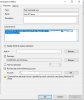
Capture8.JPG
 
Hi formolim,
Your script looks absolutely fine. I assume you are running from the machine which you are trying to add it a particular group and that machine is already joined to the domain.


If it is failing to add the AD computer account to the AD group, the first reason I can think of is whether it is able to find the computer account and/or AD groups during your search due to one of the reasons below:
a) Typo in the group name
b) Replication time - If there are multiple DCs in your environment the query maybe unable to find the computer and/or group during the query.

Could you please modify the script so that it displays the progress after each command like this and run it once again?

$DomainName = (Get-WmiObject Win32_ComputerSystem).Domain
$ComputerName = (Get-WmiObject Win32_ComputerSystem).Name
$GroupName = "CN=xxxxxxxxxxxxxxxxxxxxxxxxxxxxxxxxxxxxxxxxxxxxx"
$GroupPath = "LDAP://" + $GroupName

Write-Host "DomainName: $DomainName"
Write-Host "Computername: $Computername"
Write-Host "Groupname: $Groupname"
Write-Host "Grouppath: $Grouppath"

#Display computer account information
$comp_searcher = New-Object DirectoryServices.DirectorySearcher([ADSI]"")
$comp_searcher.filter = "(&(objectClass=computer)(SamAccountName=$Computername$))"
$FoundComputer = $comp_searcher.FindOne()
if($FoundComputer){
Write-Host "`n Computer Account details below:`n"
$FoundComputer | Format-List *
}else {Write-Host "`nERROR: Computer account not found or not yet replicated across DCs`n"; throw;}

#Display group information
$Group_search = [ADSI]"$GroupPath"
Write-Host "`n AD Group details below:`n"
$Group_search | Format-List *


$isMember = new-object DirectoryServices.DirectorySearcher([ADSI]"")
$ismember.filter = "(&(objectClass=computer)(SamAccountName=$Computername$)(memberof=$GroupName))"
$isMemberResult = $isMember.FindOne()

Write-Host "`nMembership query result:`n"
$isMemberResult.Path


If ($isMemberResult) {
Write-Host "Computer is already member of the Windows 10 group. Exiting..."
Stop-Transcript
Exit 0
}
Else
#If the computer is NOT a member of the group, add it.
{
Write-Host "Computer is not a member of the target Windows 10 group. Adding..."
$searcher = New-Object DirectoryServices.DirectorySearcher([ADSI]"")
$searcher.filter = "(&(objectClass=computer)(SamAccountName=$Computername$))"
$FoundComputer = $searcher.FindOne()
$P = $FoundComputer | select path
$ComputerPath = $p.path
$Group = [ADSI]"$GroupPath"
$Group.Add("$ComputerPath")

Write-Host "`nThe members of the group now are:`n"
$Group.member


$Group.SetInfo()
Stop-Transcript
}

Please let me know the output of the above modified script.

Thanks,
M
 
Hi formolim,
Your script looks absolutely fine. I assume you are running from the machine which you are trying to add it a particular group and that machine is already joined to the domain.


If it is failing to add the AD computer account to the AD group, the first reason I can think of is whether it is able to find the computer account and/or AD groups during your search due to one of the reasons below:
a) Typo in the group name
b) Replication time - If there are multiple DCs in your environment the query maybe unable to find the computer and/or group during the query.

Could you please modify the script so that it displays the progress after each command like this and run it once again?

$DomainName = (Get-WmiObject Win32_ComputerSystem).Domain
$ComputerName = (Get-WmiObject Win32_ComputerSystem).Name
$GroupName = "CN=xxxxxxxxxxxxxxxxxxxxxxxxxxxxxxxxxxxxxxxxxxxxx"
$GroupPath = "LDAP://" + $GroupName

Write-Host "DomainName: $DomainName"
Write-Host "Computername: $Computername"
Write-Host "Groupname: $Groupname"
Write-Host "Grouppath: $Grouppath"

#Display computer account information
$comp_searcher = New-Object DirectoryServices.DirectorySearcher([ADSI]"")
$comp_searcher.filter = "(&(objectClass=computer)(SamAccountName=$Computername$))"
$FoundComputer = $comp_searcher.FindOne()
if($FoundComputer){
Write-Host "`n Computer Account details below:`n"
$FoundComputer | Format-List *
}else {Write-Host "`nERROR: Computer account not found or not yet replicated across DCs`n"; throw;}

#Display group information
$Group_search = [ADSI]"$GroupPath"
Write-Host "`n AD Group details below:`n"
$Group_search | Format-List *


$isMember = new-object DirectoryServices.DirectorySearcher([ADSI]"")
$ismember.filter = "(&(objectClass=computer)(SamAccountName=$Computername$)(memberof=$GroupName))"
$isMemberResult = $isMember.FindOne()

Write-Host "`nMembership query result:`n"
$isMemberResult.Path


If ($isMemberResult) {
Write-Host "Computer is already member of the Windows 10 group. Exiting..."
Stop-Transcript
Exit 0
}
Else
#If the computer is NOT a member of the group, add it.
{
Write-Host "Computer is not a member of the target Windows 10 group. Adding..."
$searcher = New-Object DirectoryServices.DirectorySearcher([ADSI]"")
$searcher.filter = "(&(objectClass=computer)(SamAccountName=$Computername$))"
$FoundComputer = $searcher.FindOne()
$P = $FoundComputer | select path
$ComputerPath = $p.path
$Group = [ADSI]"$GroupPath"
$Group.Add("$ComputerPath")

Write-Host "`nThe members of the group now are:`n"
$Group.member


$Group.SetInfo()
Stop-Transcript
}

Please let me know the output of the above modified script.

Thanks,
M

Thanks Buddy Iwill try this and will let you know
 

Forum statistics

Threads
7,178
Messages
28,005
Members
18,311
Latest member
GregorianG

Trending content

Back
Top