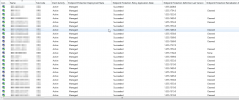
I have a list of computers in Active Clients at risk that has been growing. I already remotely executed the following procedures with powershell:
cmd /c mpcmdrun.exe -removedefinitions -all
cmd /c mpcmdrun.exe -getfiles
rm C:\Windows\System32\GroupPolicy\Machine\registry.pol
rm C:\Windows\System32\GroupPolicy\user\registry.pol
Stop-Service -Name "CcmExec"
Start-Service -Name "CcmExec"
gpupdate /force
Sometimes I reduce the number of computers, but after a few days the same computers appear in the list again.
What else can I do?
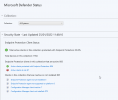
cmd /c mpcmdrun.exe -removedefinitions -all
cmd /c mpcmdrun.exe -getfiles
rm C:\Windows\System32\GroupPolicy\Machine\registry.pol
rm C:\Windows\System32\GroupPolicy\user\registry.pol
Stop-Service -Name "CcmExec"
Start-Service -Name "CcmExec"
gpupdate /force
Sometimes I reduce the number of computers, but after a few days the same computers appear in the list again.
What else can I do?