nightwarrior
New Member
- Messages
- 3
- Reaction score
- 0
- Points
- 1
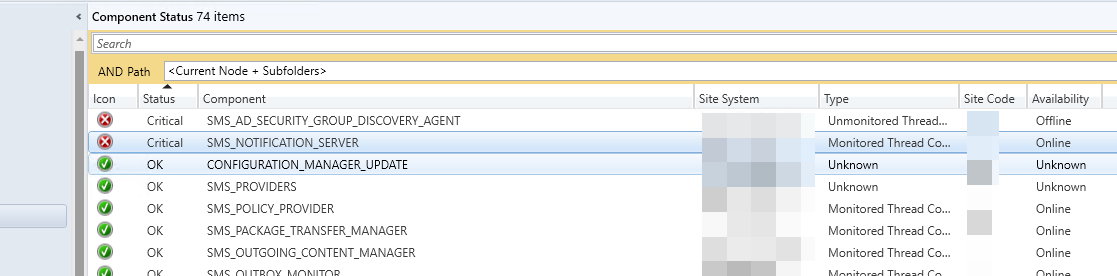
I have a Primary site servers giving me the above error message that indicated
"Site Component Manager failed to install this component, because the Microsoft Installer File for this component (bgbisapi.msi) could not install."
Due to this, my Agents are not communicating properly on the servers. Specs of the Site server:
Windows Server 2019
Config Mgr Version: 2403.
Things that I have done to troubleshoot are the following:
1. Removed Management Point Roll from server and reinstalled it.
2. Download .NetFramework 4.8.1
3. Followed the process here https://www.prajwaldesai.com/fatal-msi-error-bgbisapi-msi-could-not-be-installed/ (they made a comment in regards to the type of quotations needed and I tried both quotations.
4. I was initially running this on Server 2022, however due to all the issues, I completely removed the server and started from Fresh on 2019. Same issue
Any Help would be greatly appreciated. I've opened a ticket with Microsoft and you know how they are. Only assist me around 3pm and only provides 45mins of support before its the end of their shift. Then doesn't get back to you. I have attached the logs
"Site Component Manager failed to install this component, because the Microsoft Installer File for this component (bgbisapi.msi) could not install."
Due to this, my Agents are not communicating properly on the servers. Specs of the Site server:
Windows Server 2019
Config Mgr Version: 2403.
Things that I have done to troubleshoot are the following:
1. Removed Management Point Roll from server and reinstalled it.
2. Download .NetFramework 4.8.1
3. Followed the process here https://www.prajwaldesai.com/fatal-msi-error-bgbisapi-msi-could-not-be-installed/ (they made a comment in regards to the type of quotations needed and I tried both quotations.
4. I was initially running this on Server 2022, however due to all the issues, I completely removed the server and started from Fresh on 2019. Same issue
Any Help would be greatly appreciated. I've opened a ticket with Microsoft and you know how they are. Only assist me around 3pm and only provides 45mins of support before its the end of their shift. Then doesn't get back to you. I have attached the logs