Forums on Intune, SCCM, and Windows 11

Welcome to the forums. Register a free account today to become a member! Once signed in, you'll be able to participate on this site by adding your topics and posts, as well as connect with other members through your own private inbox!

PENDING SCCM Client Not installing

  • Thread starter Thread starter Dsimo93
  • Start date Start date
  • Replies Replies 9
  • Views Views 4K

Dsimo93

Member
Messages
7
Reaction score
0
Points
1
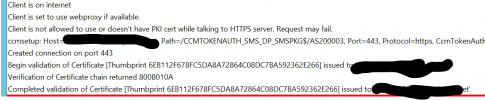
The SCCM client isn't installing from Client Push on server or from Manually installing.
This is one client server core 2019.
Command Prompt installs I have tried,
sitecode" smsmplist="DP;MP"


MSI properties: CCMCERTID="SMS;0447222854C9779722A622038BE546BC393EBD81" CCMCERTSTORE="MY" CCMFIRSTCERT="1" CCMHTTPPORT="80" CCMHTTPSPORT="443" CCMHTTPSSTATE="1216" CCMPKICERTOPTIONS="1" FSP="server" INSTALL="ALL" MANAGEDINSTALLER="0" SMSMPLIST="server;server" SMSSITECODE="" smsmplist="server"
 

Attachments

The SCCM client isn't installing from Client Push on server or from Manually installing.
This is one client server core 2019.
Command Prompt installs I have tried,
sitecode" smsmplist="DP;MP"


MSI properties: CCMCERTID="SMS;0447222854C9779722A622038BE546BC393EBD81" CCMCERTSTORE="MY" CCMFIRSTCERT="1" CCMHTTPPORT="80" CCMHTTPSPORT="443" CCMHTTPSSTATE="1216" CCMPKICERTOPTIONS="1" FSP="server" INSTALL="ALL" MANAGEDINSTALLER="0" SMSMPLIST="server;server" SMSSITECODE="" smsmplist="server"
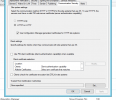
the client installed fine. Why do you say it failed.
 
The configuration manager on the client isn't populating all the fields under action.
On the primary SCCM server the device is showing a greyed out with a question mark.

Am I missing a further step?
 
The configuration manager on the client isn't populating all the fields under action.
On the primary SCCM server the device is showing a greyed out with a question mark.

Am I missing a further step?
Are their only two actions? Did you review your boundaries? Are you ONLY using IP ranges Boundaries?
 
So I have tried to create a new Boundary for the Ip range.

The types we are using, IP subnet, Ip address range and Active Directory site
So the IP address range will be created an the name added into the Active Directory site.
 

Forum statistics

Threads
7,165
Messages
27,966
Members
18,268
Latest member
rlgura

Trending content

Back
Top