B.Ramos
New Member
- Messages
- 2
- Solutions
- 1
- Reaction score
- 0
- Points
- 1
Hi Guys,
I am having a strange issue when trying to upload a web server certificate from a Public CA (Sectigo) in .PFX format to SCCM Cloud Management Gateway. When I try to do so. I am getting the following error message "The password for the certificate is not correct".
I have already tested the password and even installed the .PFX into the SCCM server computer certificate store by using the very same password. However, when I try to import it into CMG - I am always getting the same error.
Another thing I have tried was to issue a Web Server Certificate from our Internal Domain CA with same exact properties as the one from the Public CA, and this one was accepted without any issues by CMG. However, I can't really understand why or maybe my brain is just too tired right now.
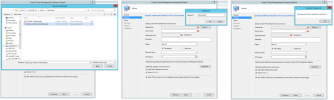
I have attached a screenshot from the error in case anyone would have had the same issue or can point me in the right direction.
I also have a support call opened with MS at the moment, so hoping they may be able to provide some answers.
Many thanks in advance to everyone for the help!
I am having a strange issue when trying to upload a web server certificate from a Public CA (Sectigo) in .PFX format to SCCM Cloud Management Gateway. When I try to do so. I am getting the following error message "The password for the certificate is not correct".
I have already tested the password and even installed the .PFX into the SCCM server computer certificate store by using the very same password. However, when I try to import it into CMG - I am always getting the same error.
Another thing I have tried was to issue a Web Server Certificate from our Internal Domain CA with same exact properties as the one from the Public CA, and this one was accepted without any issues by CMG. However, I can't really understand why or maybe my brain is just too tired right now.
I have attached a screenshot from the error in case anyone would have had the same issue or can point me in the right direction.
I also have a support call opened with MS at the moment, so hoping they may be able to provide some answers.
Many thanks in advance to everyone for the help!