Forums on Intune, SCCM, and Windows 11

Welcome to the forums. Register a free account today to become a member! Once signed in, you'll be able to participate on this site by adding your topics and posts, as well as connect with other members through your own private inbox!

PENDING SCCM 2010 Hotfix Update issue (Fails on 'Configure SQL Service Broker) SQL 2019

  • Thread starter Thread starter Vertex21
  • Start date Start date
  • Replies Replies 8
  • Views Views 5K

Vertex21

Member
Messages
6
Reaction score
0
Points
1
Hi All,

Bit of a strange one, we are using SCCM 2010 and SQL Server 2019 and have noticed a common issue whereby we attempt to apply the hotfixes for 2010 and it fails on the 'Configure SQL Server Service Broker' each time. We've had this issue across multiple servers now and it seems to be related to using SQL server 2019 as we don't see this issue in older environments.
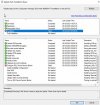
SQLSCCMIssue.jpg

CMupdate.log
cmupdate.jpg

I've tried updated SQL 2019 to the latest CU 9 release to no avail.
 
*** [42000][3716][Microsoft][SQL Server Native Client 11.0][SQL Server]The contract 'HighPriority' cannot be dropped because it is bound to one or more service.

Immediately after the above line it then fails to execute spConfigureServiceBroker

This has now happened at 3 completely seperate sites, the common theme being Sql 2019.

This was a base 2002 install, no issues updating to 2010. Issue only occurs when trying to update to 2010 hotfix.
 
Did you delete any secondary site recently ?.
No, there is no secondary site linked to the primary, it's a brand new primary site build but we have seen this across 3 completely separate environments (all new builds 2002) using SQL 2019, downgrading the database to SQL 2017 on the server is the only way we've been able to apply the hotfix.
 
I can confirm I have the exact same issue on multiple sites. All built using CM2002 media, updated to 2010 base without issue. All sites get same error mentioned, all are a primary site with no secondary etc, all running SQL 2019. If I replicated the issue like for like in a test environment, if I do the same running SQL 2017 there is no issue. Logged a support call with Microsoft in February and got told today to contact SQL team....
 
No, there is no secondary site linked to the primary, it's a brand new primary site build but we have seen this across 3 completely separate environments (all new builds 2002) using SQL 2019, downgrading the database to SQL 2017 on the server is the only way we've been able to apply the hotfix.
Hello, did you downgrade the database version or did you downgrade SQL installation to 2017?
 
We had the same issue going on with 2 instances of MECM. The first fix was with Microsoft my co-worker got on the phone and the tech already knew the issue. Once he applied a registry edit 2010 finished the install in minutes. The other instance however again Microsoft had to re-create a .cab file before it would install.
 
We had the same issue going on with 2 instances of MECM. The first fix was with Microsoft my co-worker got on the phone and the tech already knew the issue. Once he applied a registry edit 2010 finished the install in minutes. The other instance however again Microsoft had to re-create a .cab file before it would install.
Any idea what the Reg fix was or the cab file that was recreated? This would help getting Microsoft support to jog their memory and provide a fix. Thanks
 

Forum statistics

Threads
7,178
Messages
28,003
Members
18,309
Latest member
Waggy

Trending content

Back
Top
