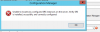
Welcome to the forums. Register a free account today to become a member! Once signed in, you'll be able to participate on this site by adding your topics and posts, as well as connect with other members through your own private inbox!
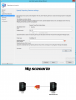
The screenshot dos not show any error, you have just to complete the Add Site System roles Wizard.
If you are using a named SQL Instance, you need to specify it, then add an account that have a privileges on your SCCM Database, this account will be used by the SSRS point.
On your SQL server, open the SQL Server Configuration Manager, in the SQL Server services, check if the SQL Server Reporting Services (Instance-name) is listed and started, and which account mentioned in "Log On As" column?