
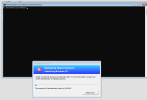
I'm facing a frustrating issue with SCCM while trying to capture a Windows 11 image from a Virtual Machine (VM). The error occurs at the "Initializing Windows PE" stage and reads:
"Unable to read task sequence configuration disk. For more information, contact your system administrator or helpdesk operator."
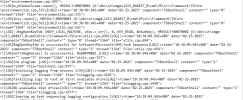
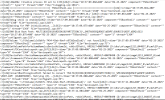
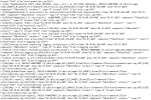
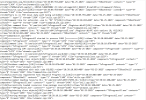
The VM then auto-restarts, and I'm left unable to proceed further. I opened the WinPE Command Prompt to investigate the logs and found the following key errors:
"Unable to read task sequence configuration disk. For more information, contact your system administrator or helpdesk operator."
The VM then auto-restarts, and I'm left unable to proceed further. I opened the WinPE Command Prompt to investigate the logs and found the following key errors:
Error Details:
- HRESULT=80070002 — "File Not Found"
- No available disk drives — WinPE cannot detect any storage devices.
- RegOpenKeyExW is unsuccessful — Indicates registry access issues in WinPE.
Attachments
-
 {2CB80500-C18C-4D58-AE35-56955C609068}.png68.6 KB · Views: 8
 -
 {8EA33D8D-0FA5-4019-9E71-EFD7DFDA0557}.png102.9 KB · Views: 3
 -
 {9ECD1261-4299-427A-8246-02BCF759EC5B}.png109 KB · Views: 4
 -
 {448FAA90-F9FD-4D51-811E-DD6C1E60E120}.png109 KB · Views: 7
 -
 {FD0FDF2C-CDC6-4ED6-AADC-0513522B981D}.png39.7 KB · Views: 10

